
Homework Doesn’t Have to Become a Daily Battle
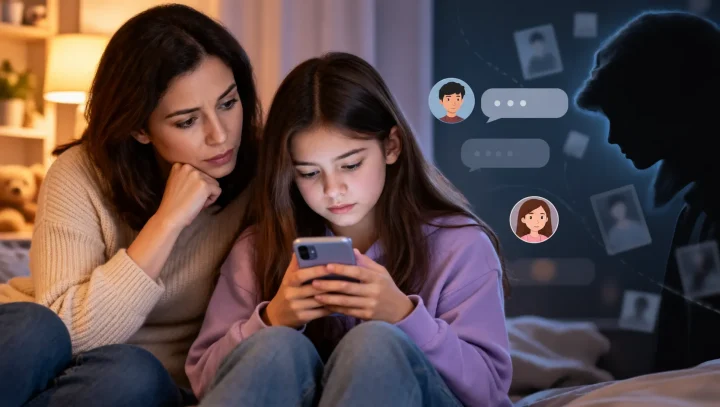
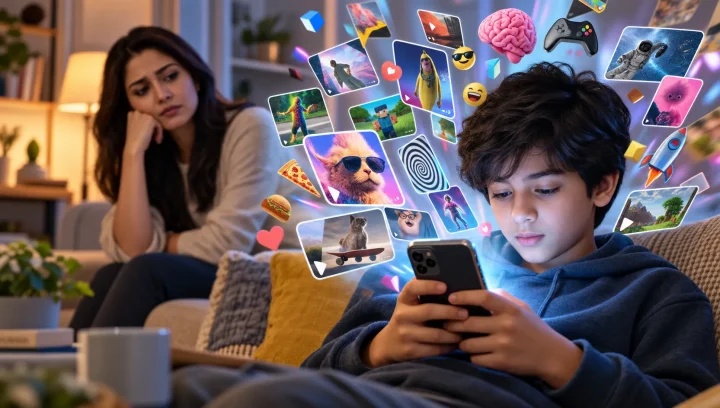
It’s 4:00 PM. Your child sits down to start their homework, opens a math assignment, and promises they’ll finish it before dinner. A few minutes later, a TikTok notification pops up. They watch one video, then another. Soon, YouTube is open in another tab, and a mobile game is running in the background.
Sound familiar?
For many families, homework isn’t interrupted because children don’t want to learn—it’s interrupted because today’s apps are designed to compete for their attention. Short-form videos, personalized recommendations, instant notifications, and endless scrolling can make it difficult for even adults to stay focused, let alone children and teenagers.
That doesn’t mean parents need to ban phones completely or turn every homework session into an argument.
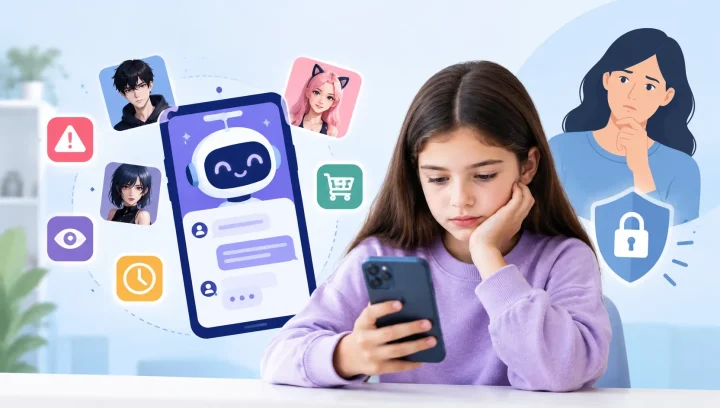
Instead, the goal is to create healthy digital boundaries that help children concentrate while still allowing them to enjoy technology at the right time. A combination of consistent family rules, built-in parental controls, and screen time management tools can dramatically reduce distractions without making children feel punished.
In this article, you’ll learn practical ways to limit TikTok, YouTube, and games during homework, discover which built-in tools work best on Android and iPhone, and explore strategies that encourage healthier screen habits for the entire family.
Quick Answer: How Can You Limit TikTok, YouTube, and Games During Homework?
The best way to limit TikTok, YouTube, and games during homework is to combine scheduled screen time, app blocking, notification management, and a consistent homework routine. Parents can use Apple Screen Time, Google Family Link, or a parental control app to automatically reduce distractions while keeping educational apps available. In practice, that means:
- Set a fixed homework schedule every school day.
- Limit TikTok, YouTube, and games during study hours.
- Turn off distracting notifications.
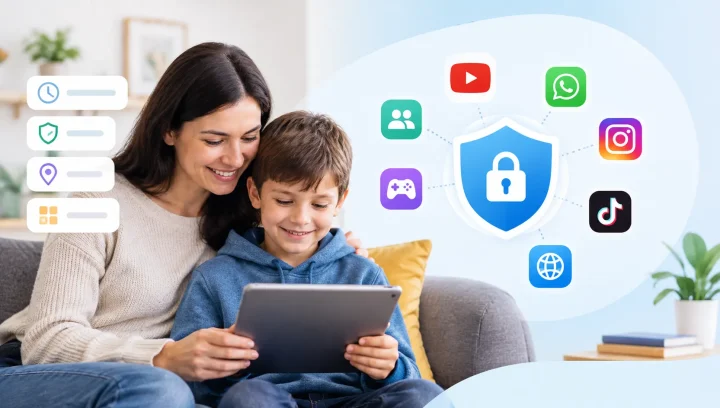
- Use built-in tools like Apple Screen Time or Google Family Link.
- Block distracting apps instead of locking the entire phone.
- Review screen time habits regularly and adjust limits when needed.
The goal isn’t to remove technology from your child’s life—it’s to help them use it at the right time and in the right way.
Why Homework Is More Distracting Than Ever
Homework has changed dramatically over the last decade.
Many school assignments now require internet access, educational videos, online research, and digital learning platforms. While technology offers incredible learning opportunities, it also places entertainment just one tap away.
A child researching a science project may receive a TikTok notification, switch to YouTube to watch a “quick” video, and end up spending 30 minutes scrolling instead of studying.
The scale of the challenge is real. According to the Common Sense Census, teenagers aged 13–18 average roughly 8.5 hours of entertainment screen media per day. In a separate Common Sense Media survey, Social Media, Social Life, about 57% of teens said social media often distracts them when they should be doing homework. Homework isn’t competing with a little screen time; it’s competing with hours of it.
Unlike traditional distractions, today’s digital platforms are designed to keep users engaged for as long as possible.
The Challenge of Infinite Scrolling
Apps like TikTok recommend new videos before the current one even finishes. YouTube automatically starts another video, while many mobile games encourage players to return with daily rewards or limited-time events.
These features make it easy for children to lose track of time—even if they intended to spend only a few minutes on their device.
Notifications Break Concentration
Every vibration, banner, or notification pulls attention away from homework.
Even if your child doesn’t open the app immediately, simply checking who sent a message or what appeared on their screen can interrupt their focus.
Research on attention has consistently shown that regaining concentration after an interruption often takes much longer than the interruption itself. This is why reducing notifications during homework can be just as important as limiting apps.
Entertainment Is Always Available
Years ago, children finished homework before watching television because entertainment was available only in one place.
Today, TikTok, YouTube, games, messaging apps, and web browsers all live on the same device used for schoolwork.
Without clear boundaries, it’s easy for homework and entertainment to compete for the same attention.
Common Homework Distractions at a Glance
| Distraction | Why It Happens | What Helps |
|---|---|---|
| TikTok | Endless, auto-recommended short videos | App limits during study hours |
| YouTube | Autoplay and “just one more” suggestions | Turn off autoplay; set a time limit |
| Games | Rewards, streaks, and social competition | Schedule gaming after homework |
| Notifications | Constant interruptions break focus | Do Not Disturb / Focus Mode |
| Websites | Entertainment is one tab away | Website blocking during homework |
Why Short Videos Make It Harder to Focus
Short-form video is uniquely good at breaking focus. Apps like TikTok and YouTube Shorts are built around three things that work directly against homework:
- Endless scroll. There’s no natural stopping point, so “just one video” quietly becomes twenty.
- Variable rewards. You never know whether the next clip will be great, and that unpredictability keeps the brain reaching for more — the same design that makes slot machines hard to walk away from.
- Instant gratification. A 15-second laugh pays off immediately, while a worksheet rewards you slowly. Given the choice, a tired brain reaches for the fast reward.
This is why willpower alone often isn’t enough — and why removing the temptation during study time works better than asking a child to resist it every few minutes.
Signs Digital Distractions Are Affecting Homework
Not every child who enjoys TikTok or gaming needs strict parental controls.
However, certain patterns may indicate that digital distractions are becoming a problem.
Watch for signs such as:
- Homework taking much longer than expected.
- Frequently switching between schoolwork and entertainment apps.
- Complaining about homework while spending significant time on social media.
- Becoming frustrated when asked to stop using the phone.
- Staying awake later because of videos or games.
- Forgetting assignments despite spending hours with school materials open.
- Constantly checking notifications during study time.
If these behaviors happen regularly, introducing simple digital boundaries may help your child build better study habits without creating unnecessary conflict.
Start With Family Rules Before Using Parental Controls
Technology works best when it supports healthy routines—not replaces them.
Before installing new apps or changing phone settings, talk with your child about what homework time should look like.
Instead of saying, “No TikTok after school.” Try explaining,
“Homework comes first so you can finish your work without interruptions. Once homework is complete, you’ll have time to enjoy TikTok, YouTube, or your favorite games.”
Children are generally more willing to follow rules when they understand the reason behind them.
Rather than banning apps entirely, many child-development experts recommend setting clear expectations, involving children in family technology rules, and gradually helping them build self-regulation skills. The long-term goal is a child who can manage distractions on their own — not just a locked device.
The American Academy of Pediatrics, for example, encourages families to create a personalized Family Media Plan and to pair clear limits with ongoing conversation rather than relying on restrictions alone.
Create a Consistent Homework Schedule
Consistency matters more than strictness.
Choose a homework window that works for your family’s routine.
Example:
| Time | Activity |
|---|---|
| 4:00 PM – 4:30 PM | Homework |
| 4:30 PM – 4:35 PM | Short Break |
| 4:35 PM – 5:05 PM | Homework |
| 5:05 PM onwards | Free Time |
Following the same routine each school day helps children develop stronger study habits over time.
Create a Homework Zone
A quiet study space can make a big difference.
Whenever possible:
- Keep TVs turned off.
- Reduce background noise.
- Charge phones away from the desk if they aren’t needed.
- Keep only school materials within reach.
Small environmental changes often reduce distractions before parents need to rely on technology.
Should You Block the Entire Phone or Just TikTok, YouTube, and Games?
Many parents wonder whether they should simply lock the entire phone during homework.
In most situations, that’s unnecessary.
Children may still need access to:
- Calculator apps
- School portals
- Educational websites
- Teacher messages
- Learning apps
Blocking only the apps that commonly interrupt homework usually creates less resistance while still protecting study time.
For many families, limiting TikTok, YouTube, and games is enough to keep children focused without making the phone completely unusable.
Why Limiting Apps Works Better Than Taking Away the Phone
Confiscating the phone can stop distractions today, but it rarely teaches the skill that matters most: self-regulation. Limiting the distracting apps — while leaving learning tools available — works better for a few reasons:
- Independence. Children keep access to the tools they genuinely need for school, so they learn to manage their own focus.
- Responsibility. Clear limits tie a privilege (entertainment) to a responsibility (finished homework).
- Trust. Targeted limits feel fair, so children are less likely to hide devices or look for workarounds.
- Routine. The same daily boundaries build a habit, and habits reduce the nightly negotiation.
In other words, the aim isn’t control for its own sake — it’s helping children build the digital habits they’ll rely on long after they leave home.
How to Limit TikTok on an iPhone
If your child uses an iPhone or iPad, Apple Screen Time provides several built-in features that can help reduce distractions during homework.
Set an App Limit
- Open Settings.
- Tap Screen Time.
- Select App Limits.
- Choose TikTok.
- Set the daily usage limit.
- Require a Screen Time passcode to prevent unauthorized changes.
This automatically restricts TikTok once the time limit has been reached.
Use Downtime During Homework
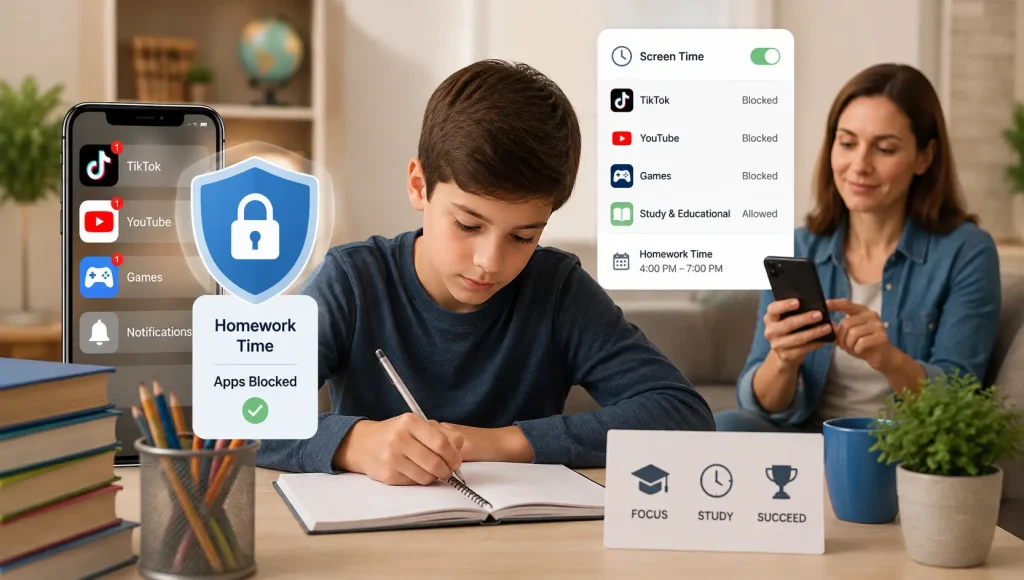
Downtime lets parents schedule periods when entertainment apps become unavailable while allowing essential apps to remain accessible.
For example: Homework Time >> 4:00 PM–6:00 PM
During this period, children can continue using educational apps while TikTok remains unavailable.
How to Limit TikTok on Android
Android users can use Google Family Link to manage homework-time distractions.
With Family Link, parents can:
- Set daily screen time limits.
- Limit specific apps like TikTok.
- Schedule device downtime.
- Review app usage reports.
- Lock devices when necessary.
These features help establish healthy routines without requiring constant reminders from parents.
For families managing multiple devices, using a dedicated parental control solution can simplify screen time management across both Android and iPhone devices.
How to Limit YouTube During Homework
YouTube can be an excellent learning tool. Many teachers assign educational videos, tutorials, and recorded lessons that help students understand complex topics. The challenge is that educational content sits alongside endless entertainment videos, recommended Shorts, and autoplay suggestions.
A child searching for a history documentary can quickly find themselves watching gaming videos or funny clips minutes later.
Instead of blocking YouTube completely, consider limiting how and when it’s used during homework.
Turn Off Autoplay
Autoplay is designed to keep viewers watching without making another choice. Disabling this feature encourages children to stop after the video they intended to watch.
Set App Limits
Both Apple Screen Time and Google Family Link allow parents to set time limits specifically for YouTube. This keeps educational access available while preventing hours of entertainment during homework.
Encourage Purposeful Viewing
Teach children to ask themselves one simple question before opening YouTube:
“Am I opening YouTube to learn something, or just because I’m bored?”
This small habit encourages more intentional screen use over time.
How to Reduce Gaming Distractions During Homework
For many children, mobile games can be even more distracting than social media.
Games are designed around achievements, rewards, streaks, and social competition. Missing a daily reward or an invitation from friends can make children feel they need to play “just for a few minutes.”
Unfortunately, those few minutes often turn into much longer gaming sessions.
Schedule Gaming After Homework
Instead of banning games, make them something children can enjoy after responsibilities are complete.
For example:
- Homework
- Dinner
- Free time
- Gaming
This creates a positive routine rather than making games feel like forbidden rewards.
Block Games During Study Time
Many parental control tools allow parents to temporarily block distracting apps and selected games during homework hours while leaving educational apps available.
This approach usually creates less resistance than locking the entire device.
Keep Gaming in Perspective
Gaming isn’t inherently bad.
Many games encourage creativity, teamwork, and problem-solving.
The goal isn’t eliminating games—it’s ensuring they don’t replace homework, sleep, family time, or outdoor activities.
Don’t Forget About Notifications
Many parents focus on limiting TikTok or games but overlook something equally distracting: notifications.
Even when entertainment apps are blocked, constant notifications can interrupt concentration.
Examples include:
- Snapchat messages
- TikTok alerts
- YouTube recommendations
- Gaming invitations
- Social media likes
- Group chats
Every interruption breaks focus.
Consider enabling Do Not Disturb or Focus Mode during homework so children aren’t tempted to check every notification.
A quiet phone often improves concentration more than strict screen time limits alone.
Block Distracting Websites During Homework
Apps aren’t the only source of distraction.
Children can easily switch from homework to:
- Entertainment websites
- Social media platforms
- Online forums
- Streaming services
- Gaming websites
Website blocking allows parents to reduce these distractions while still allowing access to educational resources.
For example, homework-related websites can remain available while entertainment sites are temporarily restricted. The same tools can also block adult websites and other inappropriate content, keeping the study space safe as well as focused.
Screen Time Limits vs. App Blocking: What’s the Difference?
Parents often assume screen time limits and app blocking do the same thing, but they serve different purposes.
| Feature | Screen Time Limits | App Blocking |
|---|---|---|
| Limits daily device usage | ✅ | ❌ |
| Blocks individual apps | ❌ | ✅ |
| Schedules homework hours | ✅ | ✅ |
| Allows educational apps while blocking entertainment | Limited | ✅ |
| Reduces homework distractions | Good | Excellent |
For many families, combining both approaches creates the best balance.
Children still have access to learning tools while entertainment apps remain unavailable during study time.
How iPhone, Android, and a Parental Control App Compare
Built-in tools cover the basics well. A dedicated parental control app adds broader website and app control and clearer activity insights, especially across multiple devices. Here’s how the common options line up for homework time:
| Feature | iPhone (Screen Time) | Android (Family Link) | Parental Control App |
|---|---|---|---|
| App time limits | ✅ | ✅ | ✅ |
| Schedule homework hours | ✅ | ✅ | ✅ |
| App blocking | ✅ | ✅ | ✅ |
| Website blocking | Basic | Basic | ✅ (by category) |
| Detailed activity reports | Basic | Basic | ✅ |
| Works across Android & iPhone | ❌ | ❌ | ✅ |

When Built-in Parental Controls Are Enough
Apple Screen Time and Google Family Link are excellent starting points.
They work well when:
- Children generally follow family rules.
- Homework distractions are occasional.
- Parents only need basic app limits.
- One device is being managed.
Many families find these tools provide all the control they need.
However, every family is different.
When Parents Need Additional Support
Sometimes built-in controls aren’t enough.
Perhaps your child uses multiple devices, regularly changes settings, or continues switching between apps during homework despite established rules.
In these situations, parents often benefit from a dedicated parental control solution that combines several features in one place.
Rather than relying on multiple settings across different devices, families can manage app limits, website blocking, screen time schedules, and activity insights from a single dashboard.
How KidsNanny Helps Create Healthier Homework Habits
Technology works best when it supports family routines—not replaces them.
KidsNanny helps parents encourage healthier digital habits by making homework boundaries easier to maintain.
Depending on your family’s needs, parents can:
- Schedule homework screen time.
- Block distracting apps during study hours.
- Restrict entertainment websites.
- Review app usage trends.
- Understand browsing habits.
- Receive insights that help guide conversations instead of constant reminders.
For example, reviewing your child’s website history can reveal which sites are pulling them away from homework — and open the door to a conversation about safer online habits.
The purpose isn’t to monitor every action your child takes.
Instead, it’s to reduce distractions so children can focus on learning while gradually developing responsible technology habits.
Common Mistakes Parents Make
Even with the best intentions, some approaches make homework more difficult.
Changing Rules Every Day
Children benefit from predictable routines.
If homework rules constantly change, they’re much harder to follow.
Expecting Technology to Solve Everything
Parental controls help, but they can’t replace communication, encouragement, and healthy routines.
Focusing Only on Screen Time
Quality matters just as much as quantity.
Thirty minutes researching a science project is very different from thirty minutes endlessly scrolling videos.
Using Punishment Instead of Guidance
Children respond better when parents explain why limits exist rather than simply taking devices away.
Removing Devices Suddenly
Taking a phone away with no warning usually creates conflict and resistance. A predictable schedule that children help set is far easier to maintain.
Monitoring Too Much Without Conversation
Controls work best alongside open conversations. Relying only on monitoring, without talking about why focus matters, tends to erode trust rather than build better habits.
Age-Specific Advice
Ages 6–9
- Short homework sessions.
- Frequent breaks.
- Close supervision.
- Limited access to entertainment apps.
Ages 10–13
- Clear homework schedules.
- Automatic app limits.
- Encourage independent responsibility.
Ages 14–17
Teenagers value independence.
Instead of controlling every minute, involve them in creating homework routines and reviewing screen habits together.
Building trust often produces better long-term results than strict restrictions.
Homework Is Only One Part of Digital Safety
Helping children focus during homework is important, but digital wellbeing extends beyond study time.
Children also spend time:
- Browsing websites
- Watching videos
- Using social media
- Messaging friends
- Joining online communities
Understanding these activities helps parents have better conversations about online safety.
If you’re reviewing your child’s digital habits, you may also find these resources helpful:
- Social Media Apps for Adults That Kids Definitely Shouldn’t Be Using
- Safe Online Chat Rooms for Teens
- Web History Tracker: Understanding Your Child’s Online Activity
Together, these resources provide a broader picture of how children interact with technology beyond homework.
Final Thoughts
Technology is part of everyday life, and children benefit from learning how to use it responsibly rather than avoiding it altogether.
By combining clear family expectations, healthy homework routines, built-in parental controls, and supportive tools when needed, parents can reduce distractions without turning homework into a daily battle.
Remember, the goal isn’t to eliminate TikTok, YouTube, or games forever. It’s to help children understand that every activity has a time and place.
When homework comes first and entertainment follows, children develop stronger study habits, better time management skills, and healthier relationships with technology—skills that will benefit them long after the homework is finished.