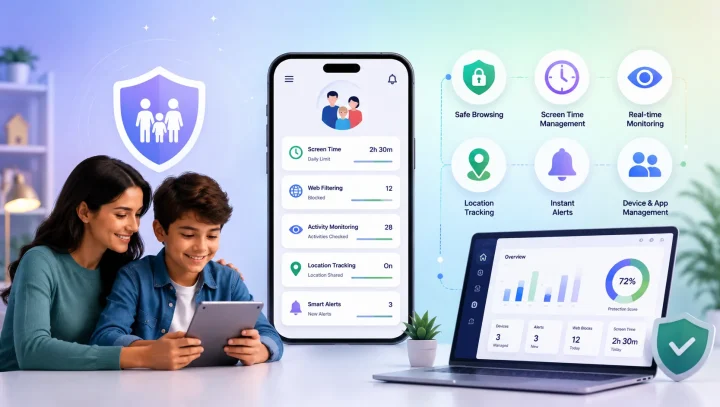

We’ve compared some of the top Qustodio alternatives that provide practical tools for managing screen time, filtering inappropriate content, monitoring online activity, and supporting children’s digital safety. This guide compares their features, strengths, and pricing to help you find the parental control app that best matches your family’s needs and budget.
Qustodio Alternatives Comparison
| App | Key Parental Control Features | Best For | Price |
|---|---|---|---|
| KidsNanny | AI Screen Scanner, Camera Shield, WhatsApp Shield, Content Filter, App Blocking, Screen Time, YouTube Control, Location Tracking, Real-Time Alerts | AI-powered digital safety and inappropriate-content protection | $35/year or $5/month |
| Bark | Online Monitoring, Safety Alerts, Screen Time, Website & App Controls, Location Tracking | Online activity monitoring and safety alerts | $99/year or $14/month |
| OurPact | Screen Time Schedules, App Rules, App Blocking, Web Filtering, Location Tracking, Geofencing | Screen time scheduling and app management | $69.99/year or $6.99/month |
| Mobicip | Screen Time, App Limits, Web Filtering, Social Monitoring, Location Tracking, Geofencing | Web filtering and digital habit management | Plans vary |
| Canopy | Content Filtering, Porn Blocking, Sexting Alerts, App & Website Controls, Downtime, Removal Prevention, Location Alerts | Explicit-content protection | $8.33–$12.50/month |
| Net Nanny | Real-Time Web Filtering, Website Blocking, App Blocking, Screen Time, Location Tracking, Family Feed | Web filtering and online activity visibility | $39.99–$89.99/year |
| Norton Family | Web Supervision, Search Monitoring, Video Supervision, App Supervision, School Time, Location Tracking, Instant Lock | Web and search supervision | $49.99/year* |
Prices and available features can vary by plan, platform, location, or subscription. Check the provider’s current pricing before purchasing.
1. KidsNanny
Platforms: Android, iOS, Mac
KidsNanny is an AI-powered parental control app designed to help parents protect children from inappropriate content and online safety risks while managing everyday device use. Its main digital safety features include AI Screen Scanner, Camera Shield, and WhatsApp Shield, along with tools for screen time, app blocking, web filtering, YouTube controls, and location tracking.
Key Features
- AI Screen Scanner: Periodically analyzes the child’s screen for potentially harmful or age-inappropriate content and can alert parents when a safety risk is detected.
- WhatsApp Shield: Helps parents monitor supported WhatsApp activity for inappropriate content and online threats, with alerts and automatic protection against certain harmful messages and explicit images.
- Camera Shield: Uses AI protection during supported camera and video experiences to detect inappropriate visual content and can take protective action when a risk is detected.
- Content Filter: Blocks websites by category or domain to help restrict access to inappropriate or potentially harmful websites.
- YouTube Control: Helps parents monitor YouTube activity and manage access to specific channels.
- App Blocking: Block individual apps or app categories when they are not appropriate or are creating distractions.
- Screen Time, Downtime & App Limits: Set daily screen-time rules, scheduled downtime, and limits for individual apps.
- Web History: Review supported browsing activity, including searches and visited websites.
- Live Location Tracking: View a child’s location and use location history and geofencing features.
- Instant Lock Down: Remotely restrict the child’s device when an immediate break from device use is needed.
- Insights & Statistics: Review digital activity and usage patterns from the parent dashboard.
- Real-Time Alerts: Receive notifications about selected safety events, app activity, and potentially inappropriate content.
Best for: Parents looking for stronger protection against online grooming, sexual content, nudity, and other age-inappropriate risks, while also managing screen time, apps, websites, and other aspects of their child’s device use.
2. Bark
Platforms: iOS, Android, and supported devices and services
Bark takes a monitoring and alert-based approach to children’s online safety. Rather than requiring parents to review every interaction themselves, Bark analyzes supported online activity and alerts parents when it detects potential concerns such as bullying, self-harm, or online predators. Bark also provides tools for screen time, website and app controls, and location tracking.
Key Features
- Online Activity Monitoring: Monitors supported texts, emails, and social platforms for potential safety concerns.
- Safety Alerts: Sends parents alerts when potentially concerning activity is detected.
- Screen Time: Create schedules and establish boundaries around device use.
- Website & App Controls: Block or manage access to supported websites and apps.
- Location Tracking: Keep track of a child’s location through supported devices.
- Content Monitoring: Looks for potential issues across supported communication platforms.
Best for: Parents who want automated online activity monitoring and alerts about potential safety concerns.
3. OurPact
Platforms: iOS, iPadOS, Android
OurPact focuses heavily on screen-time management and helping parents establish structured device routines. Parents can create schedules, manage individual apps, block access, filter websites, and use location features.
Its higher-tier features can also provide additional visibility into a child’s device activity.
Key Features
- Screen Time Schedules: Create routines for school, homework, bedtime, and other parts of the day.
- App Rules: Allow, block, or schedule access to individual apps.
- Instant Blocks: Pause device access when children need to put their devices away.
- Web Filtering: Help restrict access to inappropriate websites.
- Screen Monitoring: Supported plans provide additional device-activity visibility.
- Family Locator: View location and create location-based alerts.
- Geofencing: Receive notifications when a child enters or leaves designated locations.
Best for: Parents who prioritize structured screen-time schedules, app management, and location tracking.
4. Mobicip
Platforms: iPhone, iPad, Android, Kindle Fire, Mac, Windows, Chromebook
Mobicip combines screen-time management, app controls, web filtering, activity monitoring, and family location features. Parents can establish usage limits, create schedules, restrict apps and websites, and review children’s online activity.
Key Features
- Screen Time Management: Set daily limits for device use, with different limits for different days.
- App Limits: Restrict individual apps or groups of apps.
- Schedules: Create customized routines for school, bedtime, and other activities.
- Web Filtering: Filter potentially inappropriate online content.
- App Blocking: Block distracting or unsuitable applications.
- Social Monitoring: Monitor selected social platforms where supported.
- Family Locator: View location and set up geofences.
- Activity Summary: Review children’s online activity from the parent dashboard.
Best for: Families looking for a combination of web filtering, screen-time controls, and digital activity management across multiple platforms.
5. Canopy
Platforms: iOS, Android, Windows, macOS, Chromebook
Canopy focuses strongly on protecting children from explicit online content. Its technology is designed to filter inappropriate images and videos while giving parents additional tools for app, website, screen-time, and location management.
Key Features
- Real-Time Content Filtering: Helps identify and filter inappropriate visual content.
- Porn Blocking: Blocks explicit content to provide a safer browsing experience.
- Sexting Alerts: Helps parents identify potentially inappropriate content.
- App & Website Controls: Manage access to selected apps and websites.
- Internet Downtime: Schedule periods when internet access should be restricted.
- Removal Prevention: Helps prevent children from disabling or removing protection.
- Location Alerts: Notify parents about selected location events.
Best for: Parents whose primary concern is explicit content, pornography, and sexting-related risks.
6. Net Nanny
Platforms: Windows, macOS, iOS
Net Nanny has a strong focus on internet filtering and helping parents control what children can access online. Its tools include website filtering, website and app blocking, screen-time management, location tracking, and a Family Feed for reviewing online activity.
Key Features
- Real-Time Internet Filtering: Filters inappropriate web content while children browse.
- Website Blocker: Block websites based on individual family rules.
- App Blocking: Restrict selected applications.
- Screen Time Management: Set limits around when children can use the internet.
- Location Tracking: View the location of supported child devices.
- Family Feed: Review online activity from the parent dashboard.
- Parent Dashboard: Manage parental-control settings from a central interface.
Best for: Parents who primarily want strong web filtering and straightforward visibility into children’s online activity.
7. Norton Family
Platforms: Windows, Android, iOS
Norton Family provides tools for supervising children’s web activity, searches, videos, apps, and device usage. It also includes screen-time controls, School Time, location supervision on supported mobile devices, and activity reports.
Key Features
- Web Supervision: Monitor and restrict access to unsuitable websites.
- Search Supervision: Review children’s search terms and help identify inappropriate searches.
- Video Supervision: Review YouTube videos watched in a web browser (not the YouTube app).
- App Supervision: Monitor apps downloaded or installed on supported devices.
- Time Supervision: Set schedules and limits for device use.
- School Time: Create focused periods intended to reduce online distractions during schoolwork.
- Location Supervision: View supported mobile-device locations and location history.
- Favorite Locations: Create location boundaries and receive alerts when children arrive at or leave designated areas.
- Instant Lock: Remotely lock a supported child device when a break is needed.
- Activity Reports: Receive reports about children’s online activity.
Best for: Parents who want web, search, video, app, and screen-time supervision in one parental control solution.
Which Qustodio Alternative Is Right for You?
Each parental control app takes a different approach to children’s digital safety, so the right choice depends on what matters most to your family.
- KidsNanny: Best for parents seeking AI-powered protection against inappropriate content, online safety risks, and harmful screen activity, with screen monitoring, WhatsApp protection, screen time management, app blocking, website controls, and other parental controls.
- Bark: Best for automated online activity monitoring and alerts about potential safety concerns.
- OurPact: Best for screen-time schedules, app rules, and structured device routines.
- Mobicip: Best for web filtering, screen-time management, and digital activity controls across multiple platforms.
- Canopy: Best for explicit-content and sexting protection.
- Net Nanny: Best for real-time web filtering and online activity visibility.
- Norton Family: Best for web, search, video, app, and school-time supervision.
Final Thoughts
Choosing the right parental control app depends on your child’s age, device, online activities, and the type of protection your family needs most.
If you’re looking for a Qustodio alternative focused on protecting children from online grooming risks, sexual content, nudity, and other age-inappropriate content, while also providing screen time and device-management tools, KidsNanny is worth considering.
Before choosing a parental control app, consider which safety features are most important for your family and whether the app supports the devices your child uses.