





Child Location Tracker & GPS Tracking
Know Where Your Child Is With GPS Location Tracking
Stay connected with your child using KidsNanny’s location tracker. View their current location, review supported location history, create geofenced safe zones, and receive alerts when they enter or leave important places.
Live Location Tracking
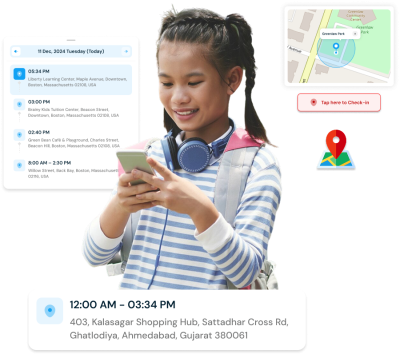
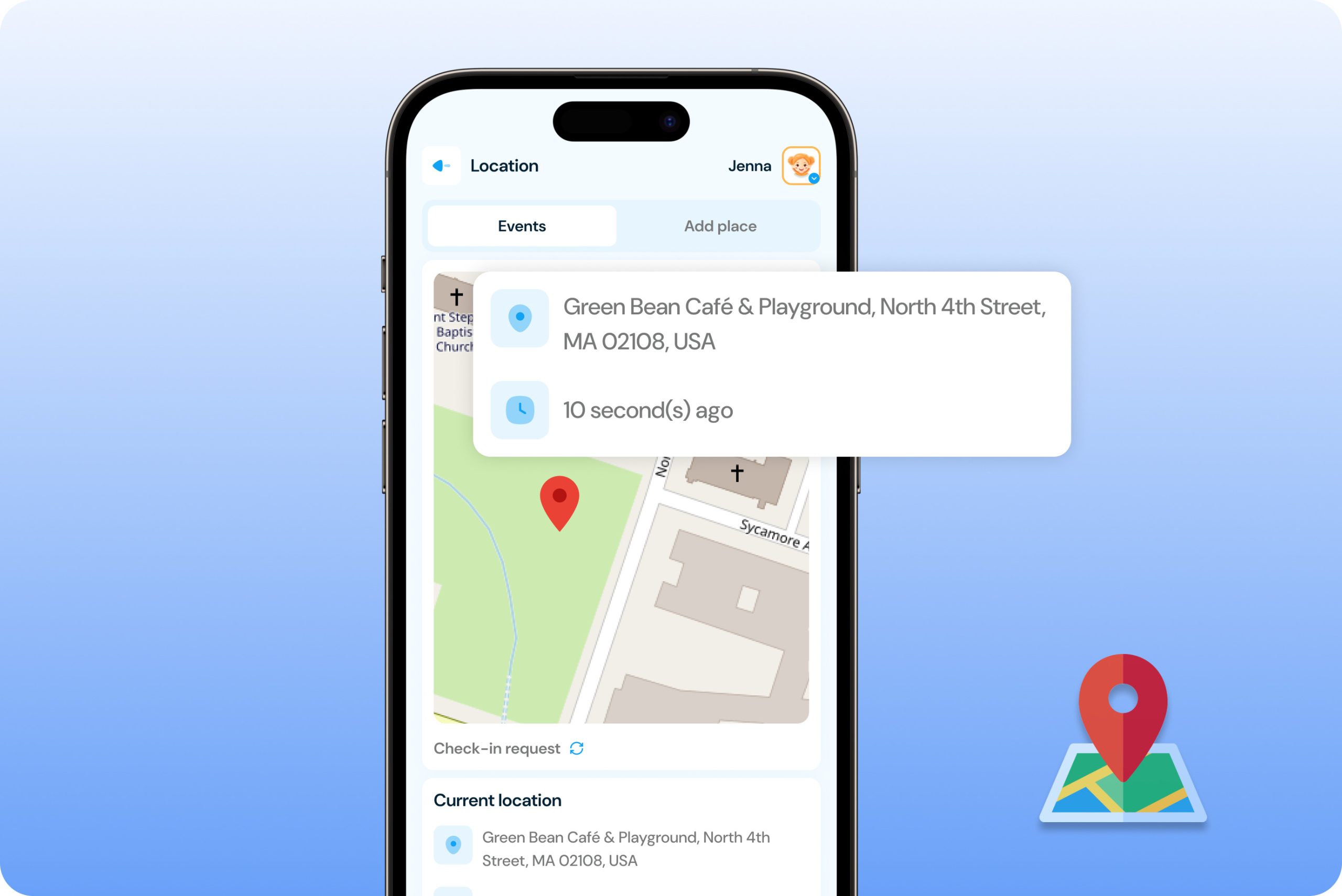
Check your child’s current location from your parent dashboard whenever you need to know where they are.
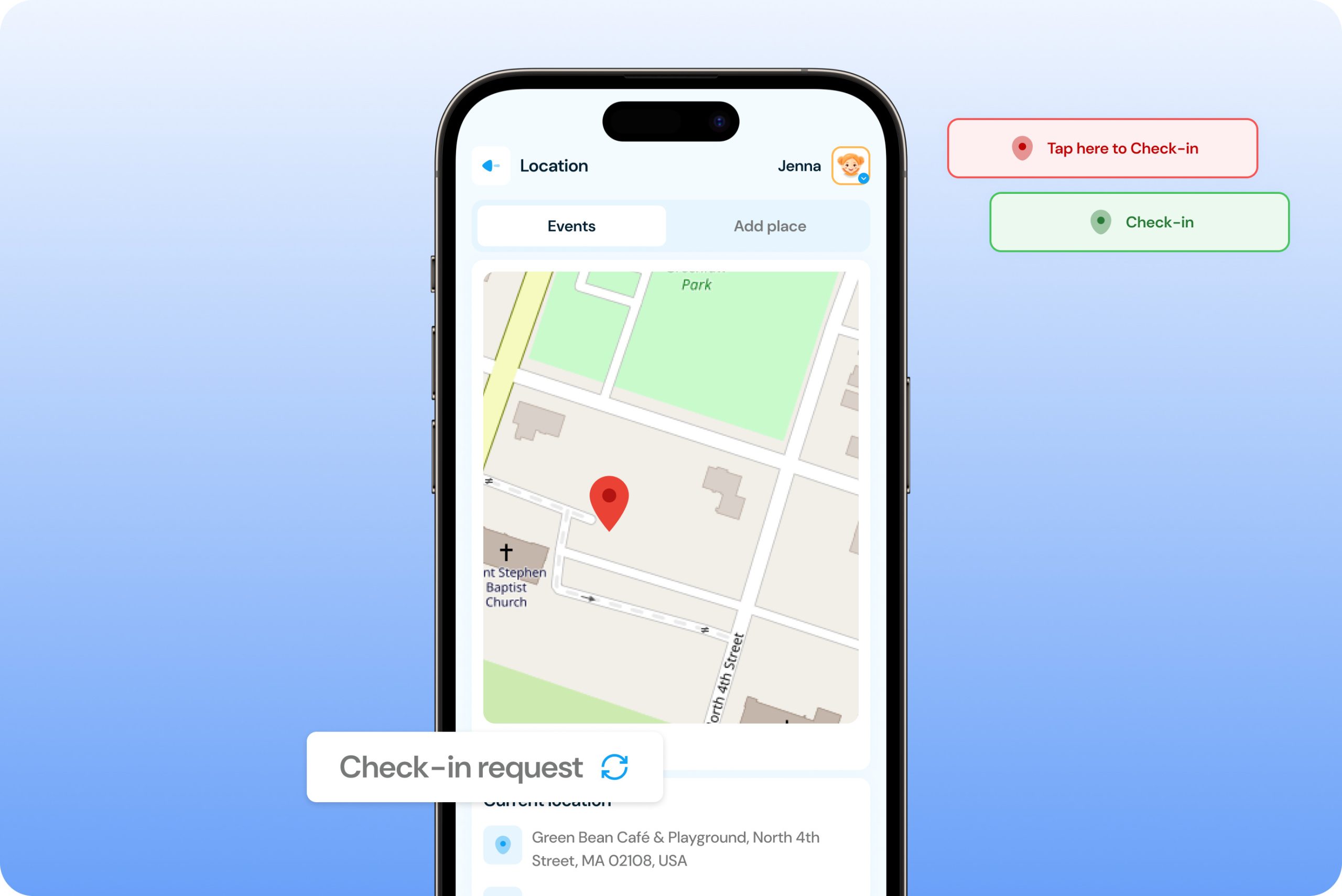
- View current location – See your child’s latest available location on an interactive map from the parent dashboard.
- Automatic location updates – Location information can refresh automatically at scheduled intervals, including the current 30-minute update interval.
- Refresh on demand – Manually refresh the location from your dashboard when you need a more recent location update.
- Location details – View available location information, including the detected position and address, depending on the device’s location services.
Location History
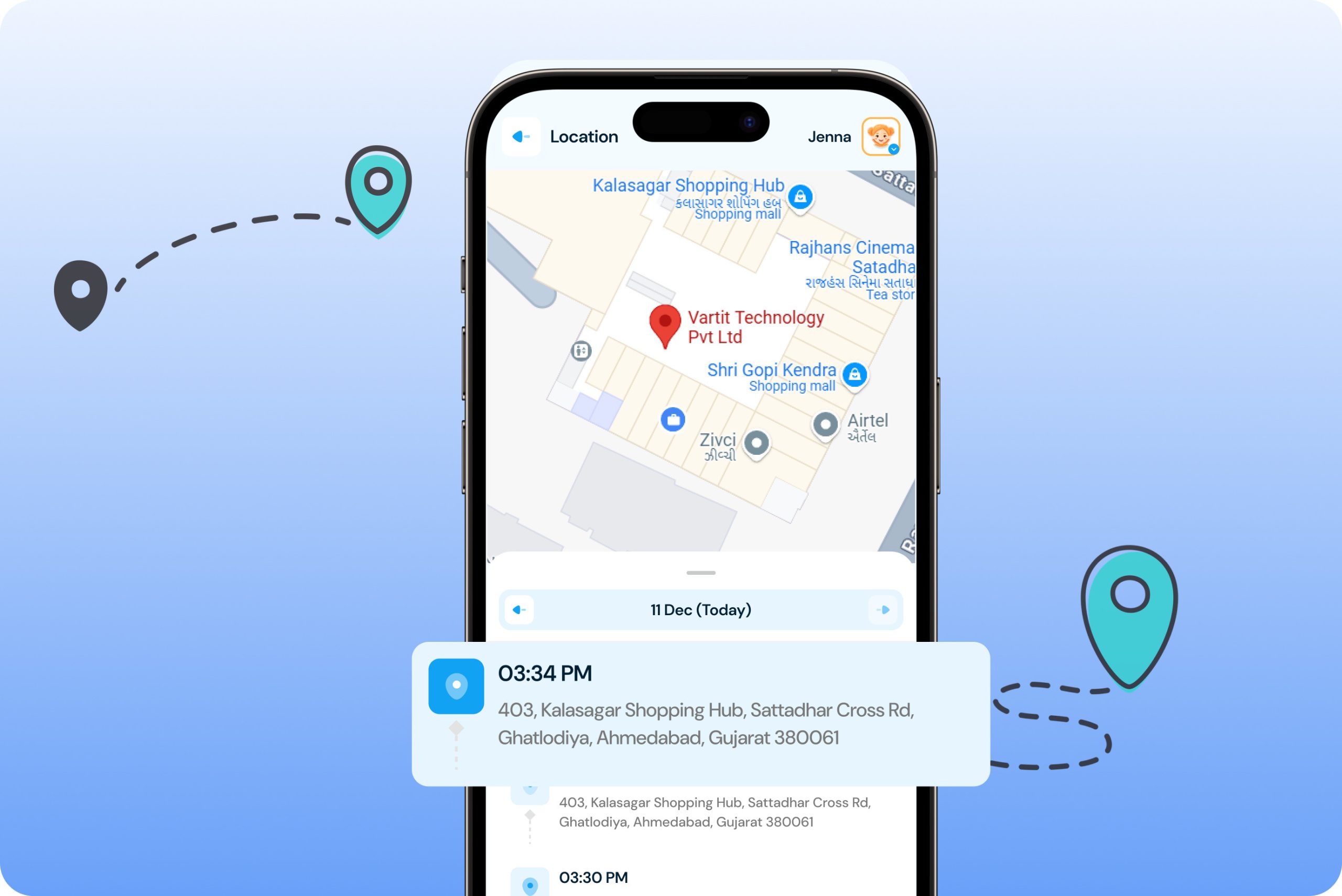
Review previously visited locations to better understand your child’s daily routines and movements.
- View previous locations – Access available location details from your child’s earlier visits.
- See location details – Review available addresses and timestamps associated with recorded locations.
- Understand daily routines – Use location history to see commonly visited places such as home, school, activities, or other important locations.
- Stay informed – Review location activity when you need additional context about where your child has been.
Geo-fence Alerts
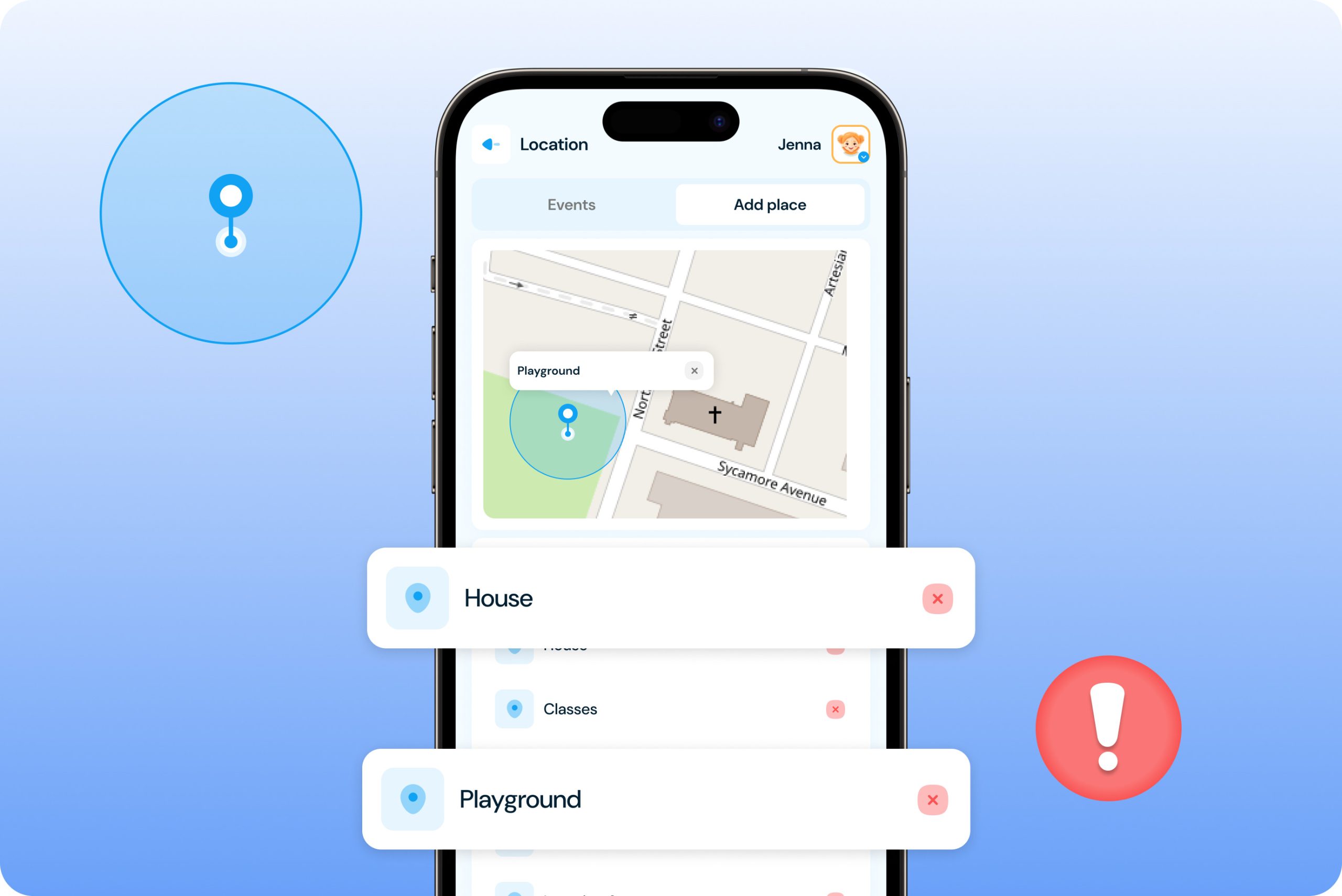
Create virtual boundaries around important places and receive notifications when your child enters or leaves them.
- Create safe zones – Set a geofence around places such as home, school, sports activities, or a trusted family member’s house.
- Entry and exit alerts – Receive notifications when your child enters or leaves a configured geofenced area.
- Choose your locations – Create geofences for the places that matter most to your family.
- Reduce manual checking – Get notified about movement across important locations without constantly checking the map.
Check-In System
Give your child an easy way to share their current location when they arrive somewhere safely.
- Child-initiated check-in – Your child can tap Check-In from their device to share their current location with you.
- Parent check-in request – Send a check-in request when you want your child to confirm where they are.
- Location notification – Receive the shared location in your parent dashboard when your child checks in or responds to a request.
- Encourage responsibility – Check-ins can help children build the habit of communicating their whereabouts with parents.
How to Track Your Child’s Location?
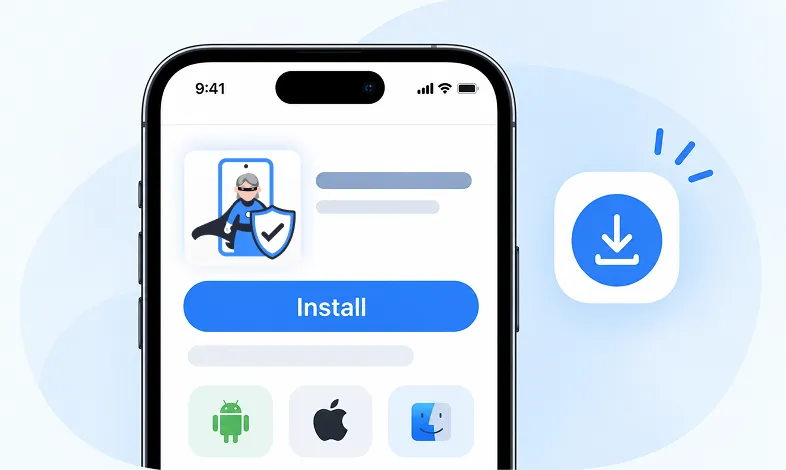
Step 1 Install KidsNanny
Download KidsNanny App from Google Play Store or App Store on the parent’s phone
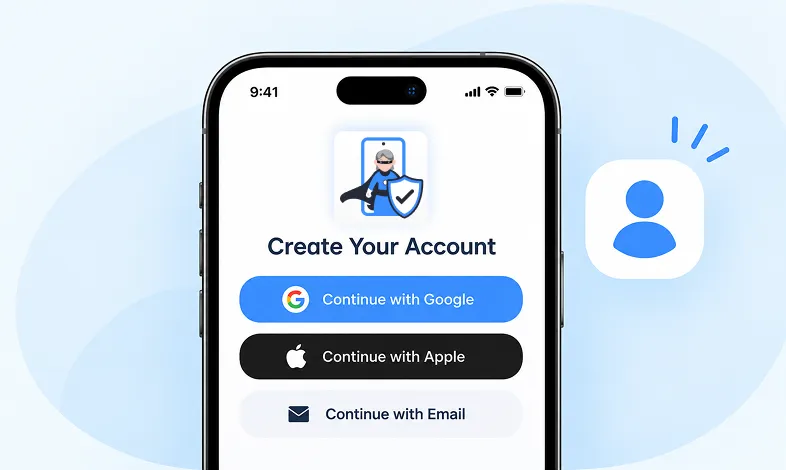
Step 2 Create your Account
Create a KidsNanny account or log in with Google, Apple, or email.
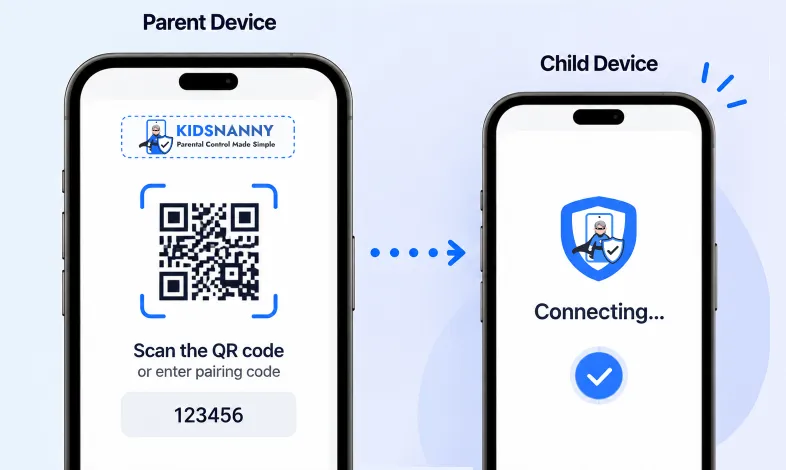
Step 3 Scan & Connect
Scan the QR code or enter the pairing code to easily and securely connect your child’s device.
More Parental Control Features
Real time Alerts
Receive instant alerts for harmful content detection, location activity, and child safety events.
View AlertsLocation Tracker

Real-time GPS tracking to know where your child is at all times with geofencing alerts.
Enable Location Tracker

Camera Shield
Control camera access and monitor photo activities to ensure your child's privacy and safety.
Enable Camera Shield

Screen Scanner
Capture screenshots of your child's device activity to review what they're viewing.
Enable Screen Scanner

WhatsApp Shield
Monitor WhatsApp messages and protect your child from inappropriate conversations and strangers.
Enable WhatsApp Tracker

YouTube Control
Monitor watch history, block inappropriate channels, and set viewing limits on YouTube.
Try YouTube Control

Content Filter
Block harmful websites and inappropriate content across all apps and browsers.
Enable Content Filter

Screen Time Limit
Set daily usage limits and schedule screen-free times for healthier device habits.
Set Screen Time
App Blocking
Block or restrict access to specific apps and games based on age-appropriateness.
Block Harmful Apps
Instant Lock Down
Remotely lock your child's device instantly when needed for immediate control.
Enable Instant Lock Down

Web History & Blocking
Track browsing history and block dangerous or inappropriate websites in real-time.
View Web History

Insights & Statistics
View detailed analytics and reports on your child's digital behavior and app usage patterns.
View Usage & Monitor

Task & Rewards
Create tasks and chores with reward systems to encourage positive behavior and responsibility.
Create TaskWhat parents say about
KidsNanny
Kim Parker
This app helps me track my kid’s location with geofencing and location tracking. I can monitor web history and block unsafe sites—definitely a must-have for parents!
Rik Matthews
KidsNanny helps monitor screen time, block apps, track web activity, and follow location with geofencing. It's user-friendly, though charts need slight improvement.
Ashley Brown
Our family finds KidsNanny an incredible asset. Its powerful features and intuitive interface make managing screen time easy. The check-in feature gives us peace of mind by tracking our child’s movements.
Michael Johnson
KidsNanny features an intuitive and user-friendly interface, making it easy for parents to navigate and access essential features. With simple setup and configuration, you can start monitoring your child's digital activities in minutes.
David Singh
This app is incredibly helpful in keeping track of my kid's whereabouts, thanks to features like geofencing and location tracking. Additionally, I can easily monitor their web history which has been super beneficial. Definitely a must-have for any parent.!!
Maria Hernández
The screen time management feature helps me set healthy limits for my child's device use. The app's check-in and live location features provide a safe environment. A must-download for every concerned parent.
Emily Smith
I like to have the opportunity to see anything happening on my kid's phone - when the phone was used, sites visited, web searches, videos watched! Really amazing!
Hiroshi Tanaka
The best parental control apps, which allow for a good level of control and flexibility,can help you monitor your children's activity across social media. And still giving your family the freedom to explore the digital world, give the benefits of added safety nets.
Jean Dupont
Excellent app to monitor Kids mobile usage. Have control on screen time usage and their effective usage of device for their development.. Caring parents should definitely try it.
Sarah Thompson
Thank you for this amazing product. It is very crucial for the security and privacy of us as children and also for parents. It has enhanced our child's protection by productive tracking system. The overall experience is great to have.
Kim Parker
This app helps me track my kid’s location with geofencing and location tracking. I can monitor web history and block unsafe sites—definitely a must-have for parents!
Rik Matthews
KidsNanny helps monitor screen time, block apps, track web activity, and follow location with geofencing. It's user-friendly, though charts need slight improvement.
Ashley Brown
Our family finds KidsNanny an incredible asset. Its powerful features and intuitive interface make managing screen time easy. The check-in feature gives us peace of mind by tracking our child’s movements.
Michael Johnson
KidsNanny features an intuitive and user-friendly interface, making it easy for parents to navigate and access essential features. With simple setup and configuration, you can start monitoring your child's digital activities in minutes.
David Singh
This app is incredibly helpful in keeping track of my kid's whereabouts, thanks to features like geofencing and location tracking. Additionally, I can easily monitor their web history which has been super beneficial. Definitely a must-have for any parent.!!
Maria Hernández
The screen time management feature helps me set healthy limits for my child's device use. The app's check-in and live location features provide a safe environment. A must-download for every concerned parent.
Emily Smith
I like to have the opportunity to see anything happening on my kid's phone - when the phone was used, sites visited, web searches, videos watched! Really amazing!
Hiroshi Tanaka
The best parental control apps, which allow for a good level of control and flexibility,can help you monitor your children's activity across social media. And still giving your family the freedom to explore the digital world, give the benefits of added safety nets.
Jean Dupont
Excellent app to monitor Kids mobile usage. Have control on screen time usage and their effective usage of device for their development.. Caring parents should definitely try it.
Sarah Thompson
Thank you for this amazing product. It is very crucial for the security and privacy of us as children and also for parents. It has enhanced our child's protection by productive tracking system. The overall experience is great to have.
Location Tracker FAQs
What is a child location tracker?
A child location tracker uses location services on a supported device to help parents view their child’s latest available location. KidsNanny combines location tracking with location history, geofence alerts, and Check-In features to help parents stay connected with their children.
Can I see my child’s live location?
Yes. KidsNanny lets parents view the child’s latest available location from the parent dashboard and manually refresh the location when needed. Automatic location updates are currently scheduled at 30-minute intervals.
How often does KidsNanny update my child’s location?
KidsNanny currently updates the child’s location automatically every 30 minutes. Parents can also manually refresh the location from the dashboard when they need a more recent update.
Can I manually refresh my child’s location?
Yes. You can manually refresh the location from the parent dashboard to request a more recent available location.
Can I see my child’s location history?
Yes. The Location Details section provides access to supported previously visited locations, including available location information and timestamps.
What is a geofence?
A geofence is a virtual boundary created around a real-world location. When your child’s supported device enters or leaves the configured area, KidsNanny can send a notification to the parent.
How do I create a geofence in KidsNanny?
Open the Location section in your parent dashboard, go to GeoFence, select Add New Location, choose the area on the map, adjust the radius, enter a name for the location, and save it.
Can I use geofences for school and home?
Yes. You can create geofenced areas around important places such as your child’s home, school, activity center, or another location that you want to monitor.
What is a Check-In?
Check-In allows your child to share their current location with you by tapping the Check-In option on their device. Parents can also send a Check-In Request when they want their child to confirm where they are.
Can I request my child’s location?
Yes. Parents can send a Check-In Request from the Location section. Your child can then respond by sharing their current location.
What happens when my child enters or leaves a geofence?
When your child’s device enters or exits a configured geofenced area, KidsNanny can send an alert to the parent dashboard according to the available location and notification settings.
Why is my child’s location not updating?
Check that location services and the required KidsNanny permissions are enabled on the child’s device. Also check the device’s internet connection and whether battery-saving or background restrictions are preventing location updates.
How accurate is KidsNanny location tracking?
Location accuracy depends on the device’s GPS and location services, signal conditions, operating system settings, and surrounding environment. GPS accuracy can vary, particularly indoors or in areas with limited satellite or network reception.
Can location tracking be turned off?
Location tracking depends on the required device permissions and parental-control settings available on the supported device. Exact controls can vary by operating system and device configuration.
Does location tracking use the child’s phone battery?
Location services can use battery power. KidsNanny’s automatic update interval is designed to provide useful location visibility without continuously requesting a location update every moment.
Does KidsNanny track my child continuously?
No. KidsNanny’s location feature is based on available location updates rather than continuous second-by-second tracking. The current automatic update interval is 30 minutes, with manual refresh available when supported.
Is location information private?
Location information should be treated as sensitive data. KidsNanny uses the location information needed to provide its location features, and access is associated with the parent-child account connection and applicable device permissions.