



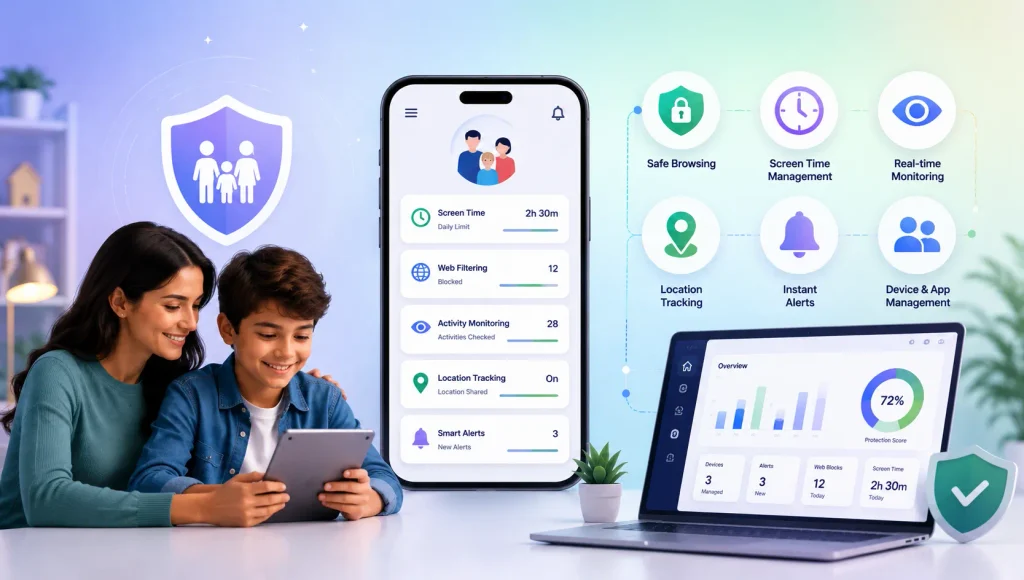
Bark is a well-known parental control app that helps parents monitor children’s online activity and receive alerts about potential safety concerns. It also offers tools for managing screen time, websites, apps, and location.
However, every family has different needs. Some parents want stronger screen monitoring, while others prioritize app blocking, web filtering, WhatsApp protection, YouTube controls, or location tracking.
In this guide, we’ve rounded up 7 Bark alternatives in 2026 that offer different approaches to parental control and digital safety.
Bark Alternatives Comparison
| App | Key Parental Control Features | Best For | Price |
|---|---|---|---|
| KidsNanny | Real-Time Content Filtering, Screen Scanner, Camera Shield, WhatsApp Shield, App & Website Controls, Screen Time, Downtime, YouTube Control, Location Tracking, Real-Time Alerts | Grooming risks and inappropriate content protection with real-time alerts | $35/year or $5/month |
| Qustodio | Web Filtering, App Blocking, Screen Time, YouTube Monitoring, Social Monitoring, Location Tracking, Calls & SMS, Reports, AI Alerts | Detailed activity monitoring | $59.95/year or $104.95/year |
| OurPact | Screen Time Schedules, App Rules, App Blocking, Web Filtering, Screenshots, Location Tracking, Geofencing, Tamper Protection | Screen time scheduling | $69.99/year or $6.99/month |
| Mobicip | Screen Time, App Limits, Web Filtering, Social Monitoring, Location Tracking, Geofencing, Activity Reports, SOS | Web filtering and digital habits | $2.99 – $7.99/month |
| Norton Family | Web Supervision, Search Monitoring, Video Supervision, App Supervision, School Time, Location Tracking, Instant Lock | Web and search supervision | From $8.33 – $25/month |
| Canopy | Content Filtering, Porn Blocking, Sexting Alerts, App & Website Controls, Downtime, Removal Prevention, Location Alerts | Explicit-content protection | $8.33–$12.50/month |
| Net Nanny | Real-Time Web Filtering, Website Blocking, App Blocking, Screen Time, Location Tracking, Family Feed | Web filtering | $39.99–$89.99/year |
1. KidsNanny
Platforms: Android, iOS, Mac
KidsNanny is a parental control app designed to protect children from explicit content, grooming risks, and unsafe digital interactions. Its main differentiators include AI Screen Scanner, Camera Shield, and WhatsApp Shield. Additional capabilities cover YouTube control, app blocking, web filtering, live location tracking, and instant device lockdown.
Key Features
- AI Screen Scanner: Periodically scans the child’s screen for potentially harmful content, including pornography, nudity, alcohol, self-harm, and other adult or inappropriate material. When a risk is detected, KidsNanny captures the relevant screen and sends an alert to the parent through notifications and email.
- WhatsApp Shield: Detects sexual or other inappropriate images and messages shared through WhatsApp. When sexual content is detected, KidsNanny automatically removes the message or image within 1–3 seconds and sends the parent a real-time alert showing the type of content, when it arrived and from which contact.
- Camera Shield: Helps prevent children from capturing or being exposed to inappropriate images. If nudity or adult content is detected while using the system camera or supported apps such as Snapchat, WhatsApp, or Instagram, KidsNanny can immediately close the app and temporarily cut the internet connection.
- Content Filter: Blocks websites by category or domain, helping restrict access to pornography, gambling, and other inappropriate websites.
- YouTube Control: Monitor YouTube activity and block specific channels or videos.
- App Blocking: Blocks individual apps or entire categories, such as social media, as well as specific apps such as YouTube.
- Screen Time, Downtime & App Limits: Set daily screen-time limits, scheduled downtime, and individual app limits. Once a limit is reached, the relevant apps are automatically blocked.
- Web History: Shows searches, visited websites, and YouTube activity from supported browsers.
- Live Location Tracking: Provides real-time GPS location, geofencing, and location history.
- Instant Lock Down: Remotely lock the child’s device when immediate restrictions are needed.
- Insights & Statistics: Review digital activity and app usage patterns.
- Real-Time Alerts: Receive notifications when a new app is installed or removed, or when KidsNanny detects potentially inappropriate content.
Best for: Parents who want stronger protection against online grooming risks, sexual content, nudity, and other under-18 inappropriate content, alongside traditional screen-time and device-management controls.
2. Qustodio
Platforms: Android, iOS, Windows, Mac, Chromebook, Kindle
Qustodio is a broad parental control platform covering screen time, web filtering, app controls, activity monitoring, location tracking, and reports. It also offers monitoring for selected social platforms and calls and SMS on supported devices.
Key Features
- Web Filtering. Block inappropriate websites and allow safer web content.
- Screen Time Limits. Set daily limits and restricted periods for device use.
- App & Game Controls. Block apps and games or set usage limits.
- YouTube Monitoring. Monitor YouTube activity and control access.
- Social Monitoring. Monitor supported social messages, including WhatsApp, Instagram, and Line, depending on platform availability.
- Calls & SMS. Monitor and manage calls and messages on supported devices.
- Location Tracking. View family locations and receive arrival or departure alerts.
- Reports & Alerts. Review activity reports and receive alerts about potentially concerning activity.
- Gaming Voice Alerts. Receive alerts about potentially risky conversations in supported gaming environments.
Best for: Families wanting a broad parental control dashboard with detailed activity monitoring.
3. OurPact
Platforms: iOS, iPadOS, Android
OurPact focuses on helping parents establish structured screen time routines. Parents can schedule when apps and devices are available, block apps, filter websites, and track location.
Its View feature provides automated or on-demand screenshots on supported plans, while its Categories feature can use OCR to flag content in areas such as sexual content, profanity, violence, and substance abuse.
Key Features
- Screen Time Schedules. Create schedules for school, homework, bedtime, and other routines.
- App Rules. Block, allow, or schedule access to individual apps.
- Instant Blocks. Pause device use when you need your child’s attention.
- Web Filtering. Block adult and inappropriate web content.
- View Screenshots. Capture periodic or on-demand screenshots of supported devices.
- Content Categories. Use OCR-based detection to flag selected types of potentially inappropriate content.
- Family Locator. View location and create alerts for designated places.
- Tamper Protection. Help prevent children from removing parental-control protections.
Best for: Parents who want strong screen time scheduling, app controls, and optional screen monitoring.
4. Mobicip
Platforms: iPhone, iPad, Android, Kindle Fire, Mac, Windows, Chromebook
Mobicip combines screen time management, app limits, web filtering, activity monitoring, and family location features. Parents can set daily or weekly screen time limits, create schedules, block apps and websites, monitor selected social platforms, and receive activity summaries.
Key Features
- Screen Time Management. Set daily and weekly device limits.
- App Limits. Restrict individual apps or categories.
- Schedules. Create customized routines for school, sleep, and other activities.
- AI Internet Filter. Filter inappropriate online content.
- App Blocker. Block distracting or inappropriate apps.
- Social Monitoring. Monitor selected social platforms for potentially harmful activity.
- Family Locator. View location and create geofences.
- Activity Summary. Review how children spend time online.
- SOS. Give children a way to send an emergency alert.
Best for: Families looking for web filtering and screen time management across multiple platforms.
5. Norton Family
Platforms: Windows, Android, iOS
Norton Family focuses on web supervision and helping parents understand how children use their devices. Parents can supervise websites, searches, videos, apps, screen time, and location. Its School Time feature is designed to help children stay focused during learning hours.
Key Features
- Web Supervision. Monitor and restrict unsuitable websites.
- Search Supervision. See what children search for and help block inappropriate results.
- Video Supervision. Review videos watched on supported YouTube platforms.
- App Supervision. Monitor downloaded apps on supported devices.
- Time Supervision. Set limits around device use.
- School Time. Create focused periods for school and learning.
- Location Supervision. View location and location history on supported mobile devices.
- Favorite Locations. Receive alerts when a child arrives at or leaves designated areas.
- Instant Lock. Remotely lock a supported child’s device.
Best for: Parents primarily interested in web, search, video, and screen-time supervision.
6. Canopy
Platforms: iOS, Android, Windows, macOS, Chromebook
Canopy focuses heavily on protecting children from explicit online content. Its filtering technology can block inappropriate images and videos without necessarily blocking an entire website. It also provides sexting alerts, app and website controls, downtime scheduling, removal prevention, location alerts, and social media monitoring.
Key Features
- Real-Time Content Filtering. Filter inappropriate images and videos.
- Porn Blocking. Block explicit content while allowing access to legitimate websites.
- Sexting Alerts. Detect potentially inappropriate photos and send alerts.
- App & Website Controls. Control access to selected apps and websites.
- Internet Downtime. Create scheduled periods when internet access is restricted.
- Removal Prevention. Help prevent children from disabling or removing protection.
- Location Alerts. Receive notifications when a child leaves a designated location.
Best for: Parents whose primary concern is explicit-content and sexting protection.
7. Net Nanny
Platforms: Windows, macOS, iOS
Net Nanny is particularly focused on internet filtering and managing what children can access online. Its features include website blocking, app blocking, screen time management, real-time location tracking, and the Family Feed, which provides visibility into online activity.
Key Features
- Real-Time Internet Filtering. Filter inappropriate web content.
- Website Blocker. Block websites according to each child’s settings.
- App Blocking. See which apps children use and restrict selected apps.
- Screen Time Management. Set permitted hours for internet use.
- Location Tracking. View the child’s primary mobile device location.
- Family Feed. Review online activity through the parent dashboard.
- Parent Dashboard. Manage parental-control settings from a web browser.
Best for: Parents who want strong web filtering and straightforward online activity visibility.
Which Bark Alternative Is Right for You?
Each parental control app takes a slightly different approach.
- KidsNanny: Best for detecting and blocking inappropriate content with real-time protection and parental alerts.
- Qustodio: Best for detailed activity monitoring and broad parental controls.
- OurPact: Best for screen time schedules and app management.
- Mobicip: Best for web filtering and digital habit management.
- Norton Family: Best for web, search, and school-time supervision.
- Canopy: Best for explicit-content and sexting protection.
- Net Nanny: Best for real-time web filtering.
Final Thoughts
Bark remains a strong option for parents who want automated monitoring and alerts about potential online safety risks. However, the best parental control app depends on what your family needs most.
If you want screen monitoring combined with direct device controls, KidsNanny is worth considering. If screen-time scheduling is your priority, OurPact may be a better fit. Qustodio provides broad activity monitoring, while Mobicip focuses on filtering and digital habits. Norton Family emphasizes web supervision, Canopy specializes in explicit-content protection, and Net Nanny focuses strongly on web filtering.
Before choosing a Bark alternative, consider your child’s device, age, online activities, and the type of parental controls you actually need.