


How KidsNanny Works
Want to know how a parental control app works? KidsNanny is a simple and easy-to-use app that helps parents monitor, control, and protect their child’s digital activity. Stay informed with usage reports and activity insights. Block inappropriate content and manage screen time. Track your child’s location and stay connected with check-ins. Everything works from one simple parent dashboard—no technical knowledge needed.
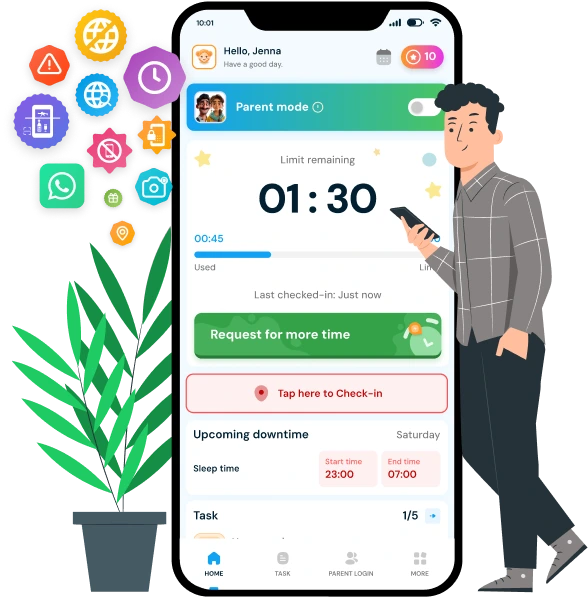
Suppoted platfrom

How to use our app to
Manage Screen Time & Blocking
Just add Sign up free today tab as well.
Step 1
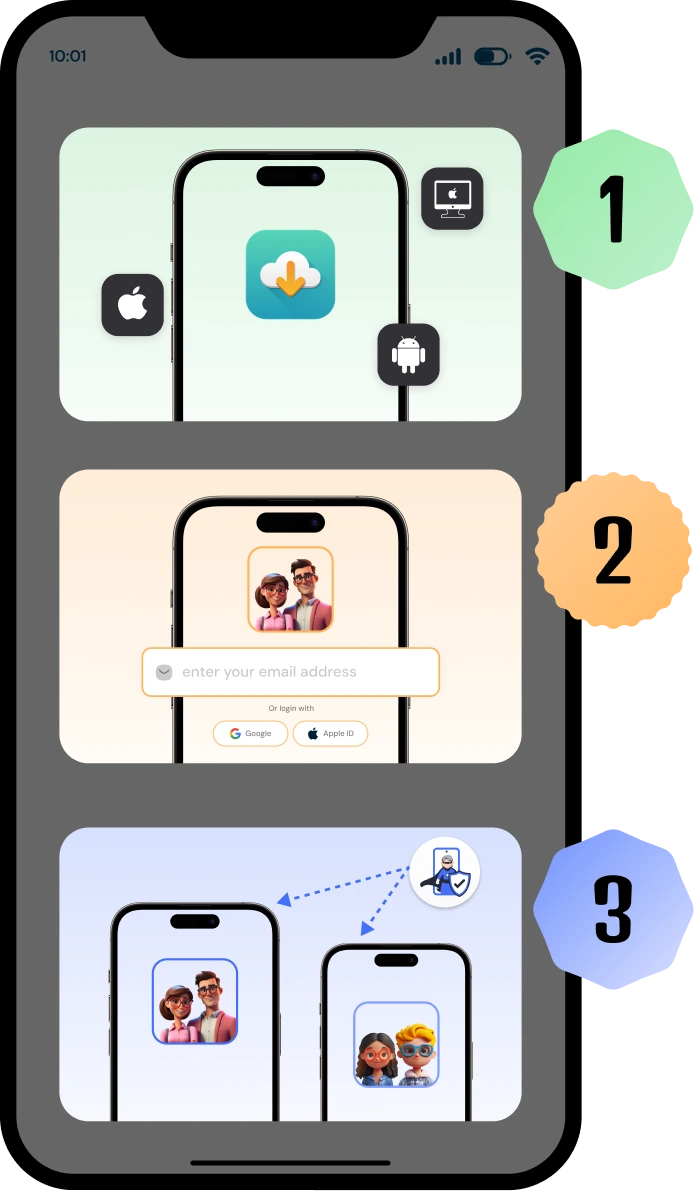
Click the button below to download KidsNanny for Android, iPhone and Mac devices.
Step 2
Click the button below and follow the step-by-step install guides for Android and iOS:
Step 3
Set bedtimes for each child and pause internet access whenever they need to go bad or downtime.
Step 4
Receive alerts if your child attempts to visit a blocked site containing sexual content.
More resources to help you out
Chat with our AI assistant
Get 24/7 support with the KidsNanny AI assistant. Ask anything about keeping your kids safe online—whether it’s setting up parental controls, reviewing the apps your child is using, resolving technical issues, or handling emotional and behavioral challenges. Fast, reliable help—anytime you need it.
Everything You Need to Know
Get clear, step-by-step instructions for using every KidsNanny feature on iOS and Android. Learn how to install the app, set screen time limits, enable WhatsApp Shield, use Screen Scanner, track Live Location, manage subscriptions, and more. Find answers to all your questions about KidsNanny features, setup, and troubleshooting.
Frequently Asked Questions
Is KidsNanny easy to set up?
Yes. KidsNanny takes less than 2 minutes to set up. Simply download the app, create a parent account, and connect your child’s device using a pairing code or OTP.
Do I need technical knowledge to use KidsNanny?
No. KidsNanny is designed for all parents. The app guides you through each step with on-screen instructions. No technical skills required.
Can I manage my child's device from my phone?
Yes. Once connected, you can manage screen time, block apps, view location, and receive alerts all from the KidsNanny parent app on your own phone.
How does KidsNanny notify me about my child's activity?
KidsNanny sends real-time push notifications when your child accesses blocked content, reaches screen time limits, enters or leaves geofence zones, or when suspicious activity is detected by the AI Screen Scanner.
Can I control multiple children's devices from one account?
Yes. You can connect and manage multiple child devices from a single parent account. Each child’s activity is displayed separately in the dashboard.
Does KidsNanny work without internet on the child's device?
Some features like app blocking and screen time limits work offline. However, location tracking, real-time alerts, and activity syncing require an internet connection on the child’s device.
What platforms does KidsNanny support?
KidsNanny works on Android, iOS, and macOS. Parents can also monitor from any browser using the web dashboard at kidsnanny.ca.