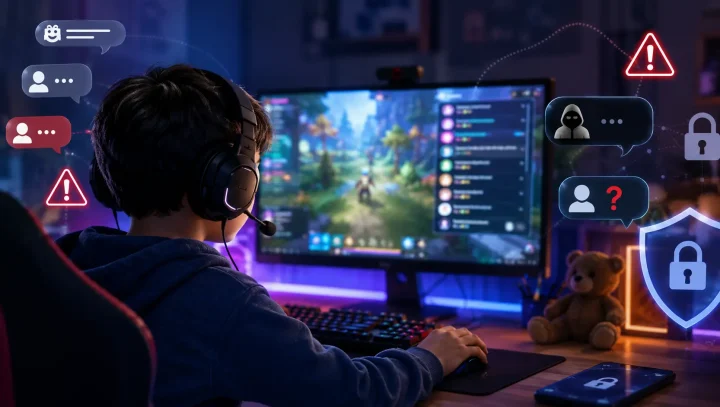

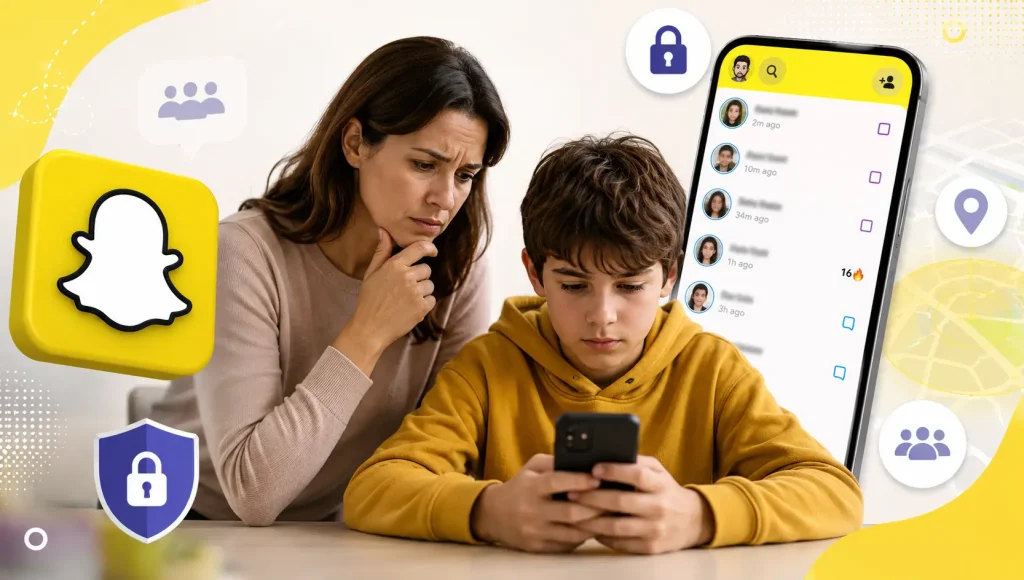
Snapchat is one of the most popular apps among teens — and one of the most worrying for parents. It is designed for users aged 13 and older, but its signature features are exactly the ones that make it hard to supervise: messages that vanish, a map that can broadcast your child’s location, and a design that makes it easy for a stranger to start a conversation. So is Snapchat safe for kids? The honest answer is that it can be used relatively safely by an older, well-prepared teen with the right settings in place — but it is not a safe app to simply hand to a younger child and walk away from.
This guide explains how Snapchat actually works, the specific risks that show up most often in real cases, the parental controls Snapchat does (and does not) offer, and a practical checklist for making it as safe as possible. Everything below is sourced from Snap’s own documentation and from child-safety organisations like the National Center for Missing & Exploited Children, so you can make a decision based on evidence rather than headlines.
Key takeaways
- Age: Snapchat’s minimum age is 13; Common Sense Media recommends 16+.
- Biggest risks: disappearing messages, location on Snap Map, contact from strangers, sextortion, fake “premium content” accounts that lure kids to Telegram, and the built-in “My AI” chatbot.
- Sextortion: Snapchat and Instagram are the platforms most often named where financial sextortion begins, according to NCMEC.
- Parental controls: Snapchat’s Family Center shows who your teen talks to and their app usage — but not message content, and your teen must accept the invite.
- Bottom line: safer for prepared mid-teens with Family Center, Ghost Mode and open conversation; not appropriate for younger children.
What Is Snapchat, and Why Do Kids Love It?
Snapchat is a messaging and social app built around photos and short videos called “Snaps.” Its defining idea is impermanence: most messages are set to disappear after they are viewed, which is a big part of why teens feel free to be silly, casual and unfiltered on it. Beyond one-to-one chat, the app offers Stories (posts that last 24 hours), face-altering Lenses and filters, a public video feed called Spotlight, a Discover section full of publisher and creator content, and Snap Map, which can show friends where you are.
The feature kids talk about most is the Snapstreak — a counter that grows for every consecutive day two friends send Snaps to each other. Streaks are a powerful hook: losing one can feel like a genuine social loss, which is why some children message compulsively or hand their password to a friend to “keep the streak alive” on vacation. Understanding why the app is so sticky helps explain why simply telling a teen to “use it less” rarely works — the design is doing a lot of the pulling. It’s the same engagement psychology we cover in our guide to signs of phone addiction in kids.
What Age Is Snapchat Appropriate For?
Snapchat’s own rules require users to be at least 13 years old. According to Snapchat’s Support pages, accounts for children under 13 are not permitted, and if the company learns an account belongs to an under-13 user it will delete it. In practice, though, there is no real age verification — a child only has to enter a false birthdate to get in, which also strips away the teen-specific protections Snapchat applies to accounts it believes belong to minors.
Common Sense Media, the leading independent reviewer of children’s media, sets the bar higher and recommends Snapchat for ages 16 and up, citing exposure to age-inappropriate content and data-collecting design. There is no single “correct” age, but the gap between Snapchat’s 13 and Common Sense’s 16 is worth sitting with: it reflects the difference between the youngest age the app allows and the age at which most children can actually handle its risks. If you are still weighing that decision, our guide on what age to give a child a smartphone walks through the same trade-offs.
The Real Risks Parents Should Understand
Most of Snapchat’s risks come not from bugs or misuse, but from features working exactly as designed. Here are the ones that matter most.
1. Disappearing messages create a false sense of security
Deleting messages is Snapchat’s default: the company confirms that most Snaps and chats are automatically deleted after they are viewed or expire. That impermanence is exactly what makes the app risky. Children feel safer sending things they would never post permanently, but “disappearing” is not the same as “gone.” Snapchat does notify the sender when someone screenshots a chat — but that safeguard is trivial to sidestep with a second phone or camera, and Snap itself warns that anyone who sees a message “can always potentially save” it. The takeaway for parents: assume nothing on Snapchat is truly temporary.
This auto-delete design is also what makes Snapchat so hard to supervise. When a message disappears the moment it’s viewed, it takes the evidence with it — so if a predator sends a sextortion threat, an explicit image or a “join me on Telegram” invite, checking your child’s chats afterwards shows you nothing. That is the exact gap a screen-level monitor is built to close.
Where KidsNanny’s Screen Scanner helps: Because most parental tools can only read what an app stores — and Snapchat stores almost nothing — disappearing messages normally slip straight past them. KidsNanny’s Screen Scanner works differently: it periodically captures what’s actually on the screen and uses AI to flag nudity, sexual content and threats. So if something harmful appears — a message, an image or an invite to a paid video call — you get a saved screenshot and an alert, even after Snapchat has deleted the original.
2. Snap Map can share your child’s location
Snap Map displays a user’s location to the friends they choose, and it updates in real time whenever the app is open. The good news is that location sharing is off by default — Snap confirms a user has to switch it on themselves. The risk is that a child turns it on, sometimes for “all friends,” not realising a friends list often includes people they have never met in person. The fix is Ghost Mode, which hides their location from everyone else on the map. We explain the wider issue in our guide to safe location tracking for kids — the goal is for you to know where your child is, not for strangers to.
Quick win: Open Snap Map together, tap the settings gear and switch on Ghost Mode. Snapchat’s own guidance is blunt: only ever share your location with friends and family you trust.
3. Sextortion: the fastest-growing threat
This is the risk child-safety experts worry about most on Snapchat. In financial sextortion, a criminal poses as a peer, builds quick rapport, persuades a young person to send an intimate image, and then threatens to share it unless they are paid. The numbers are stark. The National Center for Missing & Exploited Children (NCMEC) received 26,718 reports of financial sextortion in 2023 — up from 10,731 the year before — and by 2025 was receiving an average of 137 reports a day. NCMEC and the anti-trafficking non-profit Thorn report that Snapchat and Instagram are the two platforms most often named as the first point of contact, and that roughly 90% of victims are boys aged 14 to 17.
The FBI has tied this wave of financial sextortion to at least 12,600 minor victims between October 2021 and March 2023, and to at least 20 related suicides since 2021. Snapchat’s disappearing-message design is part of what makes it a favoured tool: it lowers a child’s guard and gives predators a fast, low-evidence channel. If your teen is on the app, the single most important conversation you can have is that everyone gets tricked sometimes, and that coming to you immediately — without judgement — is always the right move. Our parent’s guide to financial sextortion walks through the exact warning signs and the steps to take if it happens.
4. Fake “premium content” accounts that lure kids to Telegram
Here’s a pattern parents report again and again: an account posing as an attractive teen or young adult posts suggestive photos, then drops a phone number or Telegram handle — in the username, the bio or a Snap — inviting people to “join” for paid video calls, videos and images. Some are pure scams that take a payment and vanish; others are fronts for blackmail. Either way, the whole point is to pull your child off Snapchat and onto an app with far less moderation and age protection. Thorn’s research on financial sextortion found that offenders routinely move children to secondary platforms — Telegram and WhatsApp among those named — “possibly because a platform may be less likely to detect the abusive behavior,” and that they most often demand payment through gift cards and cash apps.
For a young person this hits in three ways at once: exposure to explicit adult — and sometimes illegal — content, real money lost to gift cards, e-transfers or crypto that buy nothing, and the shame and anxiety of being pulled into something they feel they can’t undo. The rule to teach is simple: any account that pushes you onto Telegram, WhatsApp or a private number for “private” or paid content is a scam — don’t reply, don’t pay, block and report. Our guide to anonymous chat apps and kids’ safety explains why being moved off-platform like this is such a reliable red flag.
5. “My AI”: an always-on chatbot in your child’s chat list
Snapchat places an AI chatbot called My AI at the top of the chat list by default. It is friendly and conversational, which is precisely the concern: children can treat it as a confidant. In its risk assessment of My AI, Common Sense Media rated it “high risk” for teens, reporting that the chatbot offered advice on sexual intimacy and on where to hide alcohol to accounts that were set up to look like underage users. The good news is that My AI can be limited or switched off through Family Center (see below). If your family is thinking through AI companions more broadly, our guides on protecting kids from ChatGPT and AI and how safe Character.AI is for kids go deeper.
6. Discover and mature content
Snapchat’s Discover feed mixes news, publisher stories and creator content, and Common Sense Media cautions that this content is often promotional and can be mature for younger teens. A 13-year-old opening Discover may encounter clickbait, suggestive thumbnails or adult themes without going looking for them. It is one more reason the app suits older teens better, and a good reason to back it up with device-level content filtering.
7. Snapstreaks and social pressure
The streaks, quick-fire messaging and public metrics that make Snapchat fun also make it stressful. Research cited in the U.S. Surgeon General’s 2023 advisory on social media and youth mental health found that adolescents who spend more than three hours a day on social media face double the risk of anxiety and depression symptoms — and that up to 95% of teens aged 13 to 17 use a social platform. Snapchat’s design nudges kids toward constant checking, so it deserves the same screen-time boundaries as any other app. Our guide to setting screen-time limits on Android and iPhone covers the practical side.

Snapchat’s Built-In Parental Controls: What Family Center Can and Can’t Do
Snapchat’s parental-control tool is called Family Center. To use it, both parent and teen need their own accounts, the teen must be 13 to 17, and — importantly — the teen has to accept your invitation before anything is linked. Once connected, Family Center gives parents a genuinely useful, if limited, window into their child’s activity.
What Family Center lets you do:
- See who your teen is friends with, and which friends they’ve added in the last seven days.
- See who they have chatted with recently — without reading the content of those messages.
- See the average amount of time they spend in the app each day.
- Confidentially report a concerning account, or file a report on your teen’s behalf.
- Restrict or fully turn off the My AI chatbot for your teen.
The key limitation: Family Center is intentionally built to protect teen privacy, so it will not show you the actual content of your child’s conversations, the Snaps they send or receive, or anything on Snap Map. It tells you who and how much, not what. That is a reasonable balance for many families with an older, trusted teen — but for younger children, or in a situation where you have real concerns, it may not be enough visibility on its own. That gap is why many parents pair it with a device-level tool.
How to Make Snapchat Safer: A Parent’s Checklist
If you decide your child is ready for Snapchat, these steps close off the biggest risks. Do them with your child, not behind their back — the goal is a shared safety setup, not a stand-off.
- Set up Family Center together. Link your accounts so you can see new friends, recent contacts and time spent, and can report accounts quickly.
- Turn on Ghost Mode. In Snap Map settings, switch on Ghost Mode so your child’s location isn’t visible to anyone else on the app.
- Disable or limit My AI. Use Family Center to stop the chatbot from replying to your teen, especially for younger users.
- Lock down privacy settings. Set “Contact Me” and “View My Story” to Friends only, and turn off “Show Me in Quick Add” so your child is less likely to be suggested to strangers.
- Prune the friends list. Go through it together and remove anyone your child hasn’t met in real life. Snapchat is safest as a tool for staying in touch with existing friends.
- Have the sextortion conversation. Explain the scam plainly, and agree that if anyone ever pressures them for images or money, they stop, don’t pay, keep the evidence and come straight to you.
- Name the “move to Telegram” trick. Tell your child that any account posting explicit photos and asking them to continue on Telegram, WhatsApp or a private number — especially for paid video calls or content — is a scam. The rule: don’t reply, never pay, block and report.
- Agree on screen-time boundaries. Keep phones out of bedrooms overnight and set app limits so streaks don’t dictate the schedule.
- Keep the door open. Check in regularly and without drama. Kids who trust they won’t lose the phone for being honest are far more likely to report a problem early.
Where a Parental-Control App Fits In
Family Center is a good first layer, but it stops at Snapchat’s edge — it can’t see what happens in other apps, what your child searches for, or what actually appears on the screen. For younger children, or when you need broader oversight across the whole device, a dedicated parental-control app fills that gap. KidsNanny is designed to work alongside a platform’s own controls, not replace the conversation:
- Screen Scanner periodically checks what’s on your child’s screen and uses AI to flag potentially harmful content — helpful for surfacing risky exchanges that disappearing-message apps would otherwise hide.
- Content filtering blocks adult and unsafe websites across browsers, backing up the in-app protections Snapchat offers.
- Screen-time management lets you set healthy limits and schedules that apply device-wide, not just inside one app.
No tool replaces an engaged parent and an honest conversation — and no monitoring app can read inside Snapchat’s disappearing messages. What the right combination of settings, awareness and oversight can do is dramatically lower the odds that Snapchat becomes a doorway to the risks above. If you want to see how Snapchat compares with other apps your child may be asking about, our reviews of whether Discord is safe for kids and the social media apps that aren’t safe for kids are good next reads.
The Bottom Line
So, is Snapchat safe for kids? For a younger child, no — the combination of disappearing messages, location sharing and easy contact from strangers is a poor fit for a developing sense of judgement. For a mature teen aged around 16 or older, Snapchat can be reasonably safe if you set up Family Center, switch on Ghost Mode, limit My AI, trim the friends list and keep talking openly about pressure and sextortion. The platform gives you real tools; the deciding factor is whether they’re actually turned on, and whether your child feels safe coming to you when something goes wrong.