


Skip to content

Every parental control feature, built into one app.

From AI-powered threat detection to GPS tracking, screen time rules, and content filtering — KidsNanny gives you 14+ powerful features to keep your child safe online and in the real world.

14+

Core Features

50K+

Active Families

5 Min

Setup Time

24/7

Real-Time Monitoring

Every tool you need to keep kids safe

Click any feature to see how it works, what it covers, and how it protects your family.

Scan your child's screen and detect harmful content

AI Screen Scanner

Real-time on-device AI scans your child's screen for cyberbullying, predatory contact, self-harm signals, and explicit content — across every app.

Monitor harmful messages

WhatsApp Shield

Real-time WhatsApp monitoring that detects grooming patterns, inappropriate content, and harmful contact — with instant parent alerts. Fully on-device.

Camera Shield

Camera Shield

Detects and blocks nudity during video calls and NSFW media in real time. No images saved, no cloud upload — your child's privacy stays intact.

Monitor your child's screen time

Screen Time Management

Set daily limits, bedtime schedules, and per-app rules. Pause the device with one tap when it's time for dinner or homework.

Real time GPS location tracking

GPS Location Tracker

See where your child is in real time. Create geofences for school, home, or grandma's — get alerts when they arrive or leave.

Browser and web history

Content Filter

Block harmful websites by category — adult, gambling, violence — or add custom domains. Works on every browser, including incognito.

Block unwanted and harmful apps

App Blocking

Block any app instantly — TikTok, Discord, dating apps, games. Get notified the moment a new app is installed on your child's device.

YouTube control

YouTube Control

Monitor every video your child watches. Block specific channels, restrict search, and set time limits just for YouTube.

Intent lock your child's phone

Instant Lock

Remotely lock your child's device with one tap. Perfect for screen-free dinners, study time, or when you need their full attention.

Browser and web history

Web History

See every site your child visits across all browsers — even the ones they tried to delete. Get a full picture of their online day.

Alert

Activity Timeline

A live feed of your child's day — apps, websites, locations, AI alerts — all in one chronological view, sorted by importance.

Tark for Screen Time Control

Tasks & Rewards

Turn chores and homework into earned screen time. Kids stay motivated, you stay in control — no nagging required.

Insights and Statistics

Insights & Statistics

Weekly reports on screen habits, top apps, risk patterns, and trends — so you can have informed conversations with your child.

Real time GPS location tracking

Check-In

One-tap location sharing between parent and child. Great for after-school pickups and "are you home yet?" peace of mind.

Built for every device your family uses

One subscription. Every platform. Set up takes under five minutes.

KidsNanny for Android device

Android

Full feature support including deep app blocking, screen scanning, and granular permissions.

KidsNanny for iPhone device

iOS & iPadOS

Screen time, location, content filter, web history, and tasks & rewards on every iPhone or iPad.

KidsNanny for Mac OS

macOS

Extend protection to your child’s MacBook with web filtering, app rules, and activity reports.

Up and running in under 5 minutes

No technical skills needed. Three steps to complete digital safety for your family.

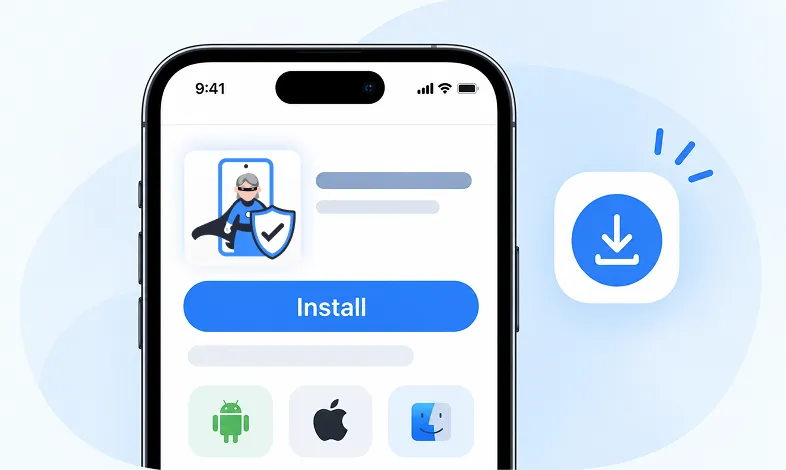
Step 1 Install KidsNanny

Download KidsNanny App from Google Play Store or App Store on the parent’s phone

Step 1 - Install KidsNanny app on your phone

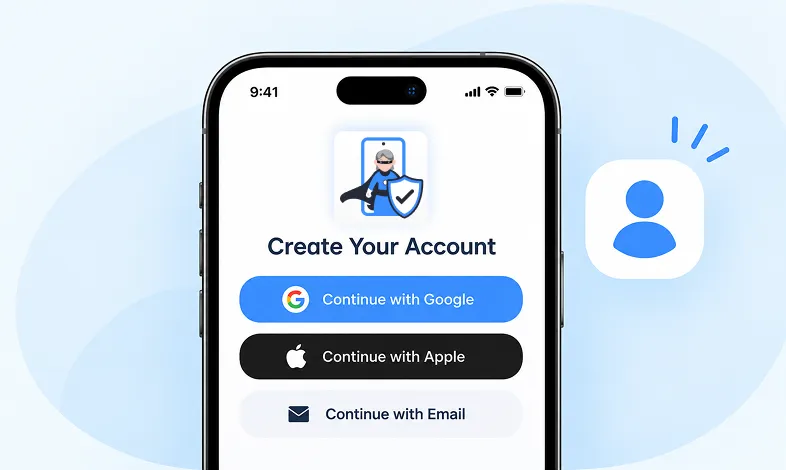
Step 2 Create your Account

Create account for KidsNanny or login with an Google, Apple and Email id.

Step 2 - Sign up and create your KidsNanny account

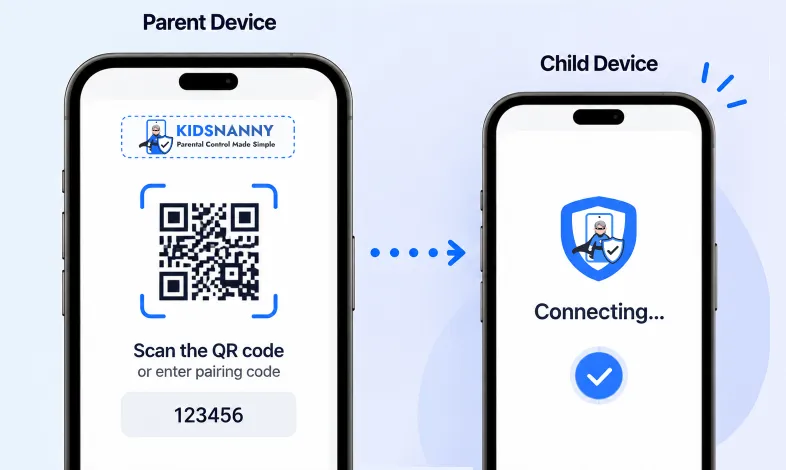
Step 3 Connect Kid's Device

Install KidsNanny App on your kid’s device. Then, enter the paring code to connect device.

Step 3 - Connect parent and child devices

Frequently asked questions

Quick answers to the most common questions about KidsNanny features.

KidsNanny includes 14+ core features: AI Screen Scanner, WhatsApp Shield, Camera Shield, Screen Time Management, GPS Location Tracker with geofencing, Content Filter, App Blocking, YouTube Control, Instant Lock, Web History, Timeline activity feed, Tasks & Rewards, and Insights & Statistics — all in one app, with no add-ons.

All core features are available on Android. iOS supports Screen Time Management, GPS Tracking, Content Filter, Web History, Timeline, and Tasks & Rewards. Some features like deep app blocking are Android-exclusive due to Apple platform restrictions, but iOS coverage matches what every leading parental control app provides.

Yes. KidsNanny’s Screen Scanner uses on-device AI to detect harmful content in real time — including cyberbullying, predatory contact, self-harm signals, and explicit material — without sending screen contents to the cloud. Your child’s screen never leaves their device.

Yes. Every KidsNanny subscription unlocks all 11 features for unlimited family devices. Pricing starts at $5/month or $35/year ($2.92/month). There are no add-ons, paywalled features, or hidden upgrades.

Yes — KidsNanny offers a 7-day free trial with full access to every feature. No credit card is required to start. You can cancel anytime from inside the app or your account settings.

Yes. KidsNanny believes in healthy, transparent digital parenting — your child sees the app on their device. We provide conversation guides to help families talk about online safety together rather than relying on hidden surveillance.

Ready to put every feature to work for your family?

Start your free 7-day trial today. Full access to all 14+ features. No credit card required.

Choose your device - Android, iPhone or Mac