Skip to content

We protect your child’s screen time and digital safety

In a world full of screens, KidsNanny helps parents guide healthy digital habits.

Our powerful parental control app lets you monitor apps, block content, and keep your kids safe online—anytime, anywhere.

Suppoted platfrom:

KidsNanny Suppoted platfrom

The first fully digital generation

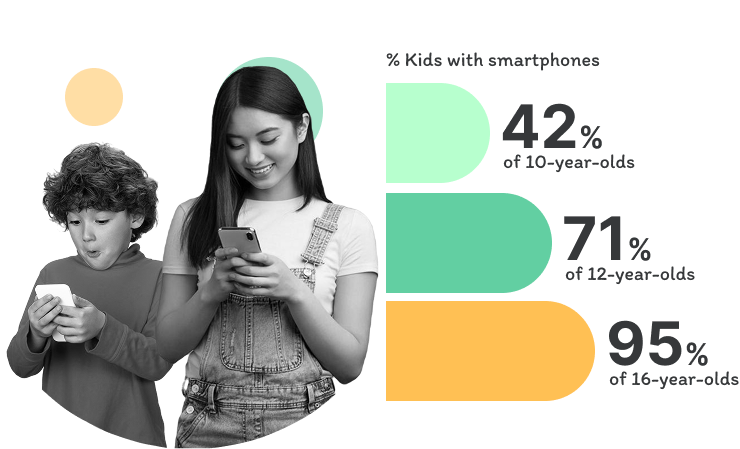
Increasing percentages of children now have their own smartphones.

*Source: The Common Sense Media

percentage of kids with smartphones

More Online Time Means More Risk for Kids

We know that every child faces different risks when it comes to their digital lives.

We have the tools to help in every situation.

Mental health issues icon - protect kids online

Mental health issues

Research reveals 32.7% of college students suffer from depression, with many linked to excessive smartphone use and digital addiction. KidsNanny helps parents limit your child’s screen time.

Online predators icon - child safety threat

Online predators

50% of online exploitation victims are between the ages of 12 and 15. KidsNanny tips empower parents to educate kids on identifying and avoiding online risks like scammers, predators, and suspicious contacts.

Cyberbullying icon - digital safety for kids

Cyberbullying

Nearly 42% of kids have been bullied online and almost one in four have had it happen more than once.Use KidsNanny to monitor texts, images, and screens, helping you detect and block online bullies quickly.

Online addiction

Online addiction

Nearly 62% admit that their children aged 13 to 17 spend 3 hours or more per day on their smartphones.KidsNanny lets you set screen time limits and block apps your child uses excessively on their devices.

Education issues

Education issues

Studies show kids with 2–3+ hours of screen time daily score lower academically. KidsNanny helps reduce device use and filters harmful content by domain, or category—while promoting access to safe, educational websites.

Inappropriate content

Inappropriate content

73% of teenagers have seen pornography. Use KidsNanny to control YouTube, filter browsers, block adult sites, and use Screen Scanner to protect your child from harmful content.
Screen Time for Children Is Increasing

Average Time Kids Spend Online Each Day

Kids

0
hours/day

Tweens

0
hours/day

Teens

0
hours/day

*Source: Mastermind Behavior & All About Vision

Learn How KidsNanny
Makes Digital Parenting Stress-Free

What Parents Should Know About AI Companions

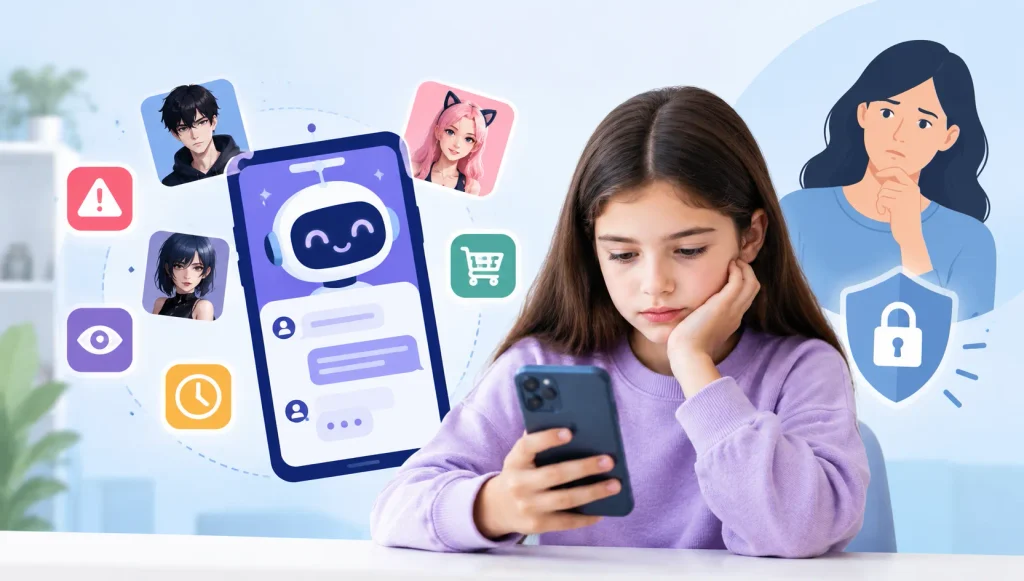
AI Girlfriend & AI Boyfriend Apps: What Parents Need to Know in 2026

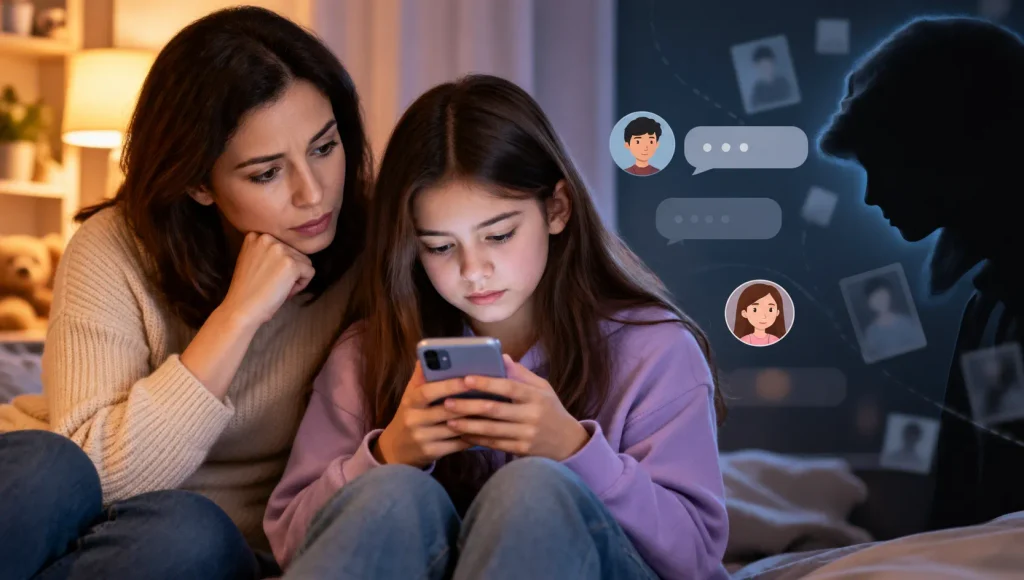
Artificial intelligence is changing childhood faster than most parents realize. What started as simple chatbots and virtual assistants
TikTok and Your Teen: a pediatric-grounded guide for parents in 2026

TikTok and Your Teen: What the Research and Pediatric Guidance Actually Say in 2026

Pew Research Center surveyed nearly 1,400 U.S. teenagers in late 2024 and found that 16% of them are
Signs of phone addiction in kids — parent's guide showing a teen on a smartphone late at night

Signs Your Child is Addicted to Their Phone (And What to Do About It)

If your child melts down when you take away their phone, sleeps with it under their pillow, and
Is WhatsApp safe for kids - complete parent safety guide

Is WhatsApp Safe for Kids in 2026?

Short answer: WhatsApp has strong encryption and privacy features, but it lacks content moderation, parental controls, and age-appropriate
Secret apps kids use to hide things from parents - complete guide

16 Secret Apps Kids Use to Hide Things from Parents in 2026

You check your child’s phone and everything looks normal — a calculator, a music app, a photo editor.
Is Roblox safe for kids - parent's guide to Roblox safety 2026

Is Roblox Safe for Kids in 2026? What Every Parent Needs to Know

Your child probably loves Roblox. With over 140 million daily active users, it’s one of the most popular platforms

Trusted by Parents Worldwide

Kim Parker

This app helps me track my kid’s location with geofencing and location tracking. I can monitor web history and block unsafe sites—definitely a must-have for parents!

Rik Matthews

KidsNanny helps monitor screen time, block apps, track web activity, and follow location with geofencing. It's user-friendly, though charts need slight improvement.

Ashley Brown

Our family finds KidsNanny an incredible asset. Its powerful features and intuitive interface make managing screen time easy. The check-in feature gives us peace of mind by tracking our child’s movements.

Michael Johnson

KidsNanny features an intuitive and user-friendly interface, making it easy for parents to navigate and access essential features. With simple setup and configuration, you can start monitoring your child's digital activities in minutes.

David Singh

This app is incredibly helpful in keeping track of my kid's whereabouts, thanks to features like geofencing and location tracking. Additionally, I can easily monitor their web history which has been super beneficial. Definitely a must-have for any parent.!!

Maria Hernández

The screen time management feature helps me set healthy limits for my child's device use. The app's check-in and live location features provide a safe environment. A must-download for every concerned parent.

Emily Smith

I like to have the opportunity to see anything happening on my kid's phone - when the phone was used, sites visited, web searches, videos watched! Really amazing!

Hiroshi Tanaka

The best parental control apps, which allow for a good level of control and flexibility,can help you monitor your children's activity across social media. And still giving your family the freedom to explore the digital world, give the benefits of added safety nets.

Jean Dupont

Excellent app to monitor Kids mobile usage. Have control on screen time usage and their effective usage of device for their development.. Caring parents should definitely try it.

Sarah Thompson

Thank you for this amazing product. It is very crucial for the security and privacy of us as children and also for parents. It has enhanced our child's protection by productive tracking system. The overall experience is great to have.

Kim Parker

This app helps me track my kid’s location with geofencing and location tracking. I can monitor web history and block unsafe sites—definitely a must-have for parents!

Rik Matthews

KidsNanny helps monitor screen time, block apps, track web activity, and follow location with geofencing. It's user-friendly, though charts need slight improvement.

Ashley Brown

Our family finds KidsNanny an incredible asset. Its powerful features and intuitive interface make managing screen time easy. The check-in feature gives us peace of mind by tracking our child’s movements.

Michael Johnson

KidsNanny features an intuitive and user-friendly interface, making it easy for parents to navigate and access essential features. With simple setup and configuration, you can start monitoring your child's digital activities in minutes.

David Singh

This app is incredibly helpful in keeping track of my kid's whereabouts, thanks to features like geofencing and location tracking. Additionally, I can easily monitor their web history which has been super beneficial. Definitely a must-have for any parent.!!

Maria Hernández

The screen time management feature helps me set healthy limits for my child's device use. The app's check-in and live location features provide a safe environment. A must-download for every concerned parent.

Emily Smith

I like to have the opportunity to see anything happening on my kid's phone - when the phone was used, sites visited, web searches, videos watched! Really amazing!

Hiroshi Tanaka

The best parental control apps, which allow for a good level of control and flexibility,can help you monitor your children's activity across social media. And still giving your family the freedom to explore the digital world, give the benefits of added safety nets.

Jean Dupont

Excellent app to monitor Kids mobile usage. Have control on screen time usage and their effective usage of device for their development.. Caring parents should definitely try it.

Sarah Thompson

Thank you for this amazing product. It is very crucial for the security and privacy of us as children and also for parents. It has enhanced our child's protection by productive tracking system. The overall experience is great to have.

Frequently Asked Questions

KidsNanny uses advanced AI technology including Screen Scanner, Camera Shield, and WhatsApp Shield that most parental control apps don’t offer. It works across Android, iOS, and macOS from a single dashboard.

KidsNanny offers features that built-in tools lack, such as AI-powered content detection, WhatsApp monitoring, Camera Shield for blocking inappropriate video calls, and cross-platform support from one account.

es. KidsNanny uses on-device AI to scan screens for inappropriate content, detect grooming patterns in chats, and block harmful camera activity — all without uploading data to external servers.

Yes. KidsNanny’s Screen Scanner and Timeline alerts detect bullying, hate speech, and harmful content in real-time and notify parents immediately so they can take action.

Yes. KidsNanny supports Android, iOS, and macOS. Parents can monitor from the mobile app or the web dashboard at kidsnanny.ca.

Yes. KidsNanny offers a free 7-day trial, a monthly plan at $5 per month, and a yearly plan at $2.92 per month. One subscription covers all features across all supported devices.