






Skip to content

Web History

Track Child’s Browsing & Online Activity

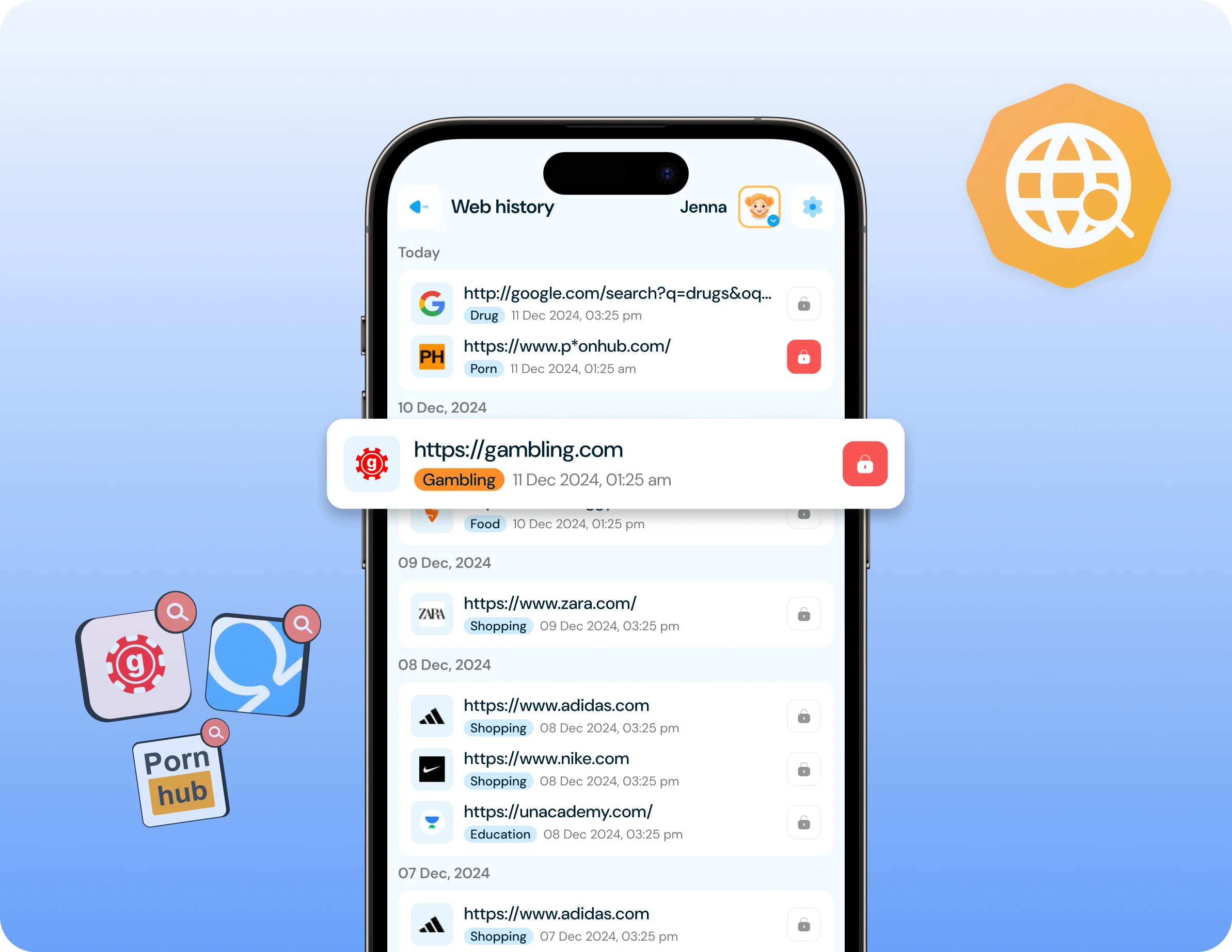
Monitor every website your child visits with complete browsing history tracking. View visited websites, access links, and review online activity to ensure safe and age-appropriate browsing.

Web History
Suppoted platfrom
Web History and safe browsing

Track Complete Browsing History

Monitor all websites your child visits across browsers to understand their online activity and interests.

✓ View complete list of visited websites seeing every website your child has accessed on their device with detailed browsing history tracking.

✓ Access direct links to visited sites reviewing the exact pages your child visited with clickable links for parent verification and content review.

✓ Track number of website visits monitoring how many websites your child accesses daily to understand their browsing habits and online activity levels.

✓ See website visit timestamps knowing exactly when your child visited each website—morning, afternoon, evening, or late-night browsing patterns.

✓ Monitor across all browsers tracking websites visited on Chrome, Safari, Firefox, or any browser your child uses on their device.

Web History Monitoring Benefits

  • Identify Inappropriate Content Access – Discover if your child has visited adult websites, violent content, gambling sites, or other inappropriate pages so you can address concerns and block future access.
  • Understand Online Interests – Learn what topics, hobbies, and content your child is researching online to better understand their interests, questions, and developmental needs.
  • Detect Cyberbullying or Harassment – Spot if your child is visiting websites related to cyberbullying, self-harm, or concerning topics that may indicate they’re experiencing online harassment or emotional distress.
  • Verify Homework & Research – Confirm your child is actually doing homework and research when they claim to be studying, rather than browsing entertainment or gaming sites.
  • Catch Early Warning Signs – Identify concerning search patterns like depression-related content, dangerous challenges, drug information, or other red flags that require parent intervention.
  • Monitor Social Media Usage – Track which social media platforms your child visits, how frequently, and discover any secret accounts or platforms you weren’t aware they were using.

How to View Your Child's Browsing History?

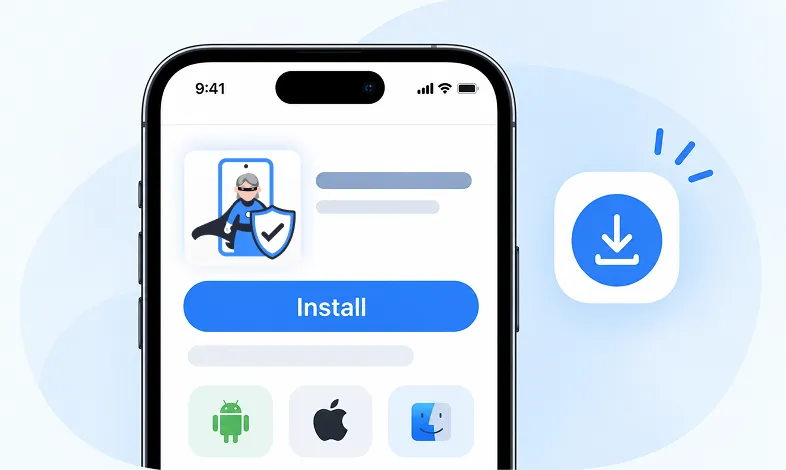
Step 1 Install KidsNanny

Download KidsNanny App from Google Play Store or App Store on the parent’s phone

Step 1 - Install KidsNanny app on your phone

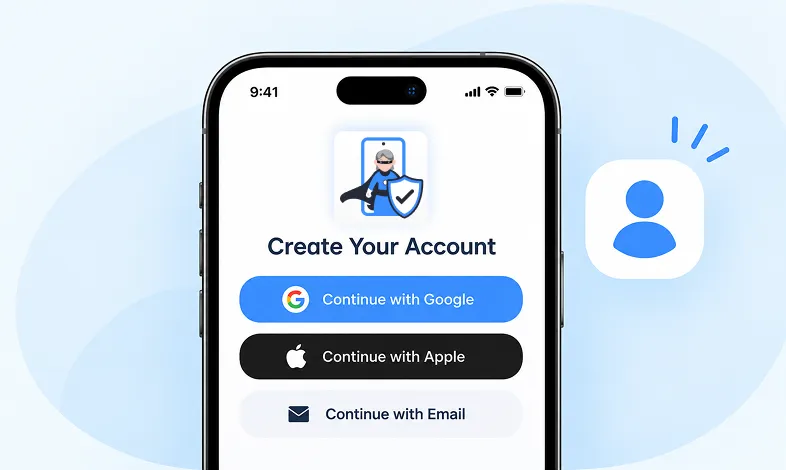
Step 2 Create your Account

Create account for KidsNanny or login with an Google, Apple and Email id.

Step 2 - Sign up and create your KidsNanny account

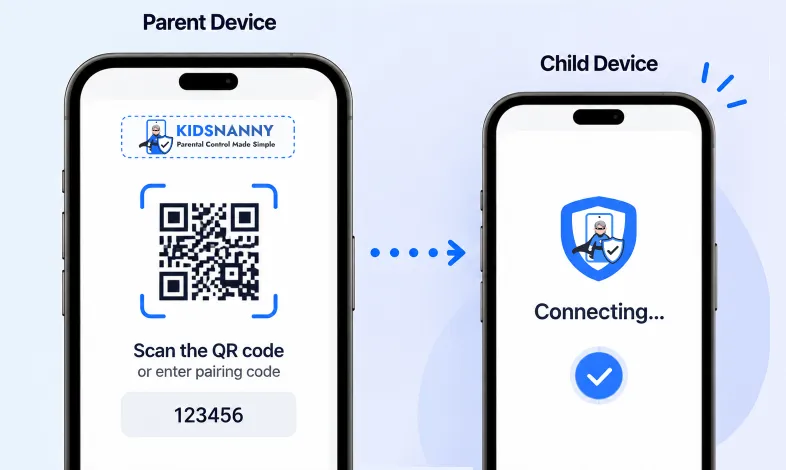
Step 3 Connect Kid's Device

Install KidsNanny App on your kid’s device. Then, enter the paring code to connect device.

Step 3 - Connect parent and child devices

Web History vs Content Filter

Web History (Monitoring & Awareness):

  • Tracks websites already visited.
  • Shows browsing history after the fact.
  • Helps parents understand online activity.
  • Identifies concerning patterns.
  • Reviews past behavior.
  • Informs future blocking decisions

Content Filter (Prevention & Blocking):

  • Blocks websites before access.
  • Prevents inappropriate content viewing.
  • Stops harmful sites proactively.
  • Filters by category or domain.
  • Protects in real-time.
  • Implements blocking rules

More Parental Control Features

Real time Alerts

Real time Alerts

Receive instant alerts for harmful content detection, location activity, and child safety events.

View Alerts

Location Tracker

Location Tracker

Real-time GPS tracking to know where your child is at all times with geofencing alerts.

Enable Location Tracker

Camera Shield

Camera Shield

Control camera access and monitor photo activities to ensure your child's privacy and safety.

Enable Camera Shield

Screen Scanner

Screen Scanner

Capture screenshots of your child's device activity to review what they're viewing.

Enable Screen Scanner

WhatsApp Shield

WhatsApp Shield

Monitor WhatsApp messages and protect your child from inappropriate conversations and strangers.

Enable WhatsApp Tracker

YouTube Control

YouTube Control

Monitor watch history, block inappropriate channels, and set viewing limits on YouTube.

Try YouTube Control

Content Filter

Content Filter

Block harmful websites and inappropriate content across all apps and browsers.

Enable Content Filter

Screen Time Limit

Screen Time Limit

Set daily usage limits and schedule screen-free times for healthier device habits.

Set Screen Time

App Blocking

App Blocking

Block or restrict access to specific apps and games based on age-appropriateness.

Block Harmful Apps

Instant Lock Down

Instant Lock Down

Remotely lock your child's device instantly when needed for immediate control.

Enable Instant Lock Down

Web History

Web History & Blocking

Track browsing history and block dangerous or inappropriate websites in real-time.

View Web History

Insights & Statistics

Insights & Statistics

View detailed analytics and reports on your child's digital behavior and app usage patterns.

View Usage & Monitor

Task & Rewards

Task & Rewards

Create tasks and chores with reward systems to encourage positive behavior and responsibility.

Create Task

Trusted by Parents Worldwide

Kim Parker

This app helps me track my kid’s location with geofencing and location tracking. I can monitor web history and block unsafe sites—definitely a must-have for parents!

Rik Matthews

KidsNanny helps monitor screen time, block apps, track web activity, and follow location with geofencing. It's user-friendly, though charts need slight improvement.

Ashley Brown

Our family finds KidsNanny an incredible asset. Its powerful features and intuitive interface make managing screen time easy. The check-in feature gives us peace of mind by tracking our child’s movements.

Michael Johnson

KidsNanny features an intuitive and user-friendly interface, making it easy for parents to navigate and access essential features. With simple setup and configuration, you can start monitoring your child's digital activities in minutes.

David Singh

This app is incredibly helpful in keeping track of my kid's whereabouts, thanks to features like geofencing and location tracking. Additionally, I can easily monitor their web history which has been super beneficial. Definitely a must-have for any parent.!!

Maria Hernández

The screen time management feature helps me set healthy limits for my child's device use. The app's check-in and live location features provide a safe environment. A must-download for every concerned parent.

Emily Smith

I like to have the opportunity to see anything happening on my kid's phone - when the phone was used, sites visited, web searches, videos watched! Really amazing!

Hiroshi Tanaka

The best parental control apps, which allow for a good level of control and flexibility,can help you monitor your children's activity across social media. And still giving your family the freedom to explore the digital world, give the benefits of added safety nets.

Jean Dupont

Excellent app to monitor Kids mobile usage. Have control on screen time usage and their effective usage of device for their development.. Caring parents should definitely try it.

Sarah Thompson

Thank you for this amazing product. It is very crucial for the security and privacy of us as children and also for parents. It has enhanced our child's protection by productive tracking system. The overall experience is great to have.

Kim Parker

This app helps me track my kid’s location with geofencing and location tracking. I can monitor web history and block unsafe sites—definitely a must-have for parents!

Rik Matthews

KidsNanny helps monitor screen time, block apps, track web activity, and follow location with geofencing. It's user-friendly, though charts need slight improvement.

Ashley Brown

Our family finds KidsNanny an incredible asset. Its powerful features and intuitive interface make managing screen time easy. The check-in feature gives us peace of mind by tracking our child’s movements.

Michael Johnson

KidsNanny features an intuitive and user-friendly interface, making it easy for parents to navigate and access essential features. With simple setup and configuration, you can start monitoring your child's digital activities in minutes.

David Singh

This app is incredibly helpful in keeping track of my kid's whereabouts, thanks to features like geofencing and location tracking. Additionally, I can easily monitor their web history which has been super beneficial. Definitely a must-have for any parent.!!

Maria Hernández

The screen time management feature helps me set healthy limits for my child's device use. The app's check-in and live location features provide a safe environment. A must-download for every concerned parent.

Emily Smith

I like to have the opportunity to see anything happening on my kid's phone - when the phone was used, sites visited, web searches, videos watched! Really amazing!

Hiroshi Tanaka

The best parental control apps, which allow for a good level of control and flexibility,can help you monitor your children's activity across social media. And still giving your family the freedom to explore the digital world, give the benefits of added safety nets.

Jean Dupont

Excellent app to monitor Kids mobile usage. Have control on screen time usage and their effective usage of device for their development.. Caring parents should definitely try it.

Sarah Thompson

Thank you for this amazing product. It is very crucial for the security and privacy of us as children and also for parents. It has enhanced our child's protection by productive tracking system. The overall experience is great to have.

Web History FAQs

On the parent device, scroll down the Home screen and navigate to the Web History section to find a list of websites visited by your child, complete with links to the visited sites from any browser.

Web History shows the number of visited websites, a detailed list of websites with URLs, direct links to the pages visited, and timestamps of when sites were accessed.

Yes, Web History tracks websites visited across all browsers on your child’s device including Chrome, Safari, Firefox, and others.

Web History is tracked at the system level, so even if your child clears their browser history, KidsNanny still maintains the complete record for parent review.

Yes, after reviewing Web History and identifying inappropriate sites, you can block them immediately using the Content Filter feature in KidsNanny.

Web History updates in real-time or near real-time, so you can see websites your child visits shortly after they access them.

To activate Web history, you must acquire a KidsNanny subscription.

  • Ensure the accessibility setting is enabled.
  • Verify that the website is not in the allowed list.